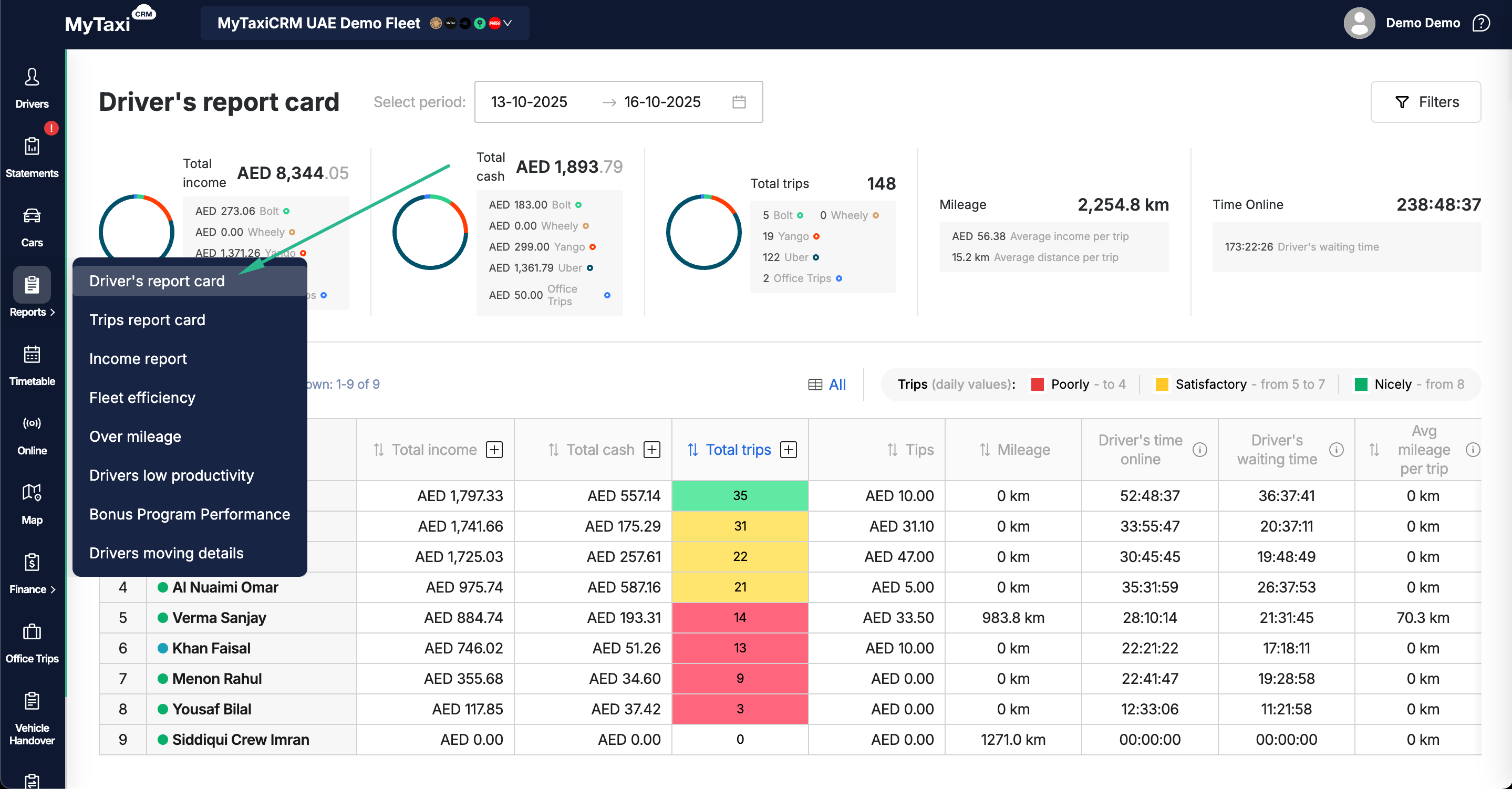
¶ Fleet's Drivers Performance Report
¶ Report Overview
The Driver’s Report Card is a part of the Reports module in MyTaxiCRM.
- It provides a summarized visual representation of drivers' performance within your fleet – including daily, weekly, or custom date ranges.
Managers can track income sources, cash flow, online activity, and other and other consolidated operational metrics across all integrations (ride-hailing platforms & buit-in dispatch).
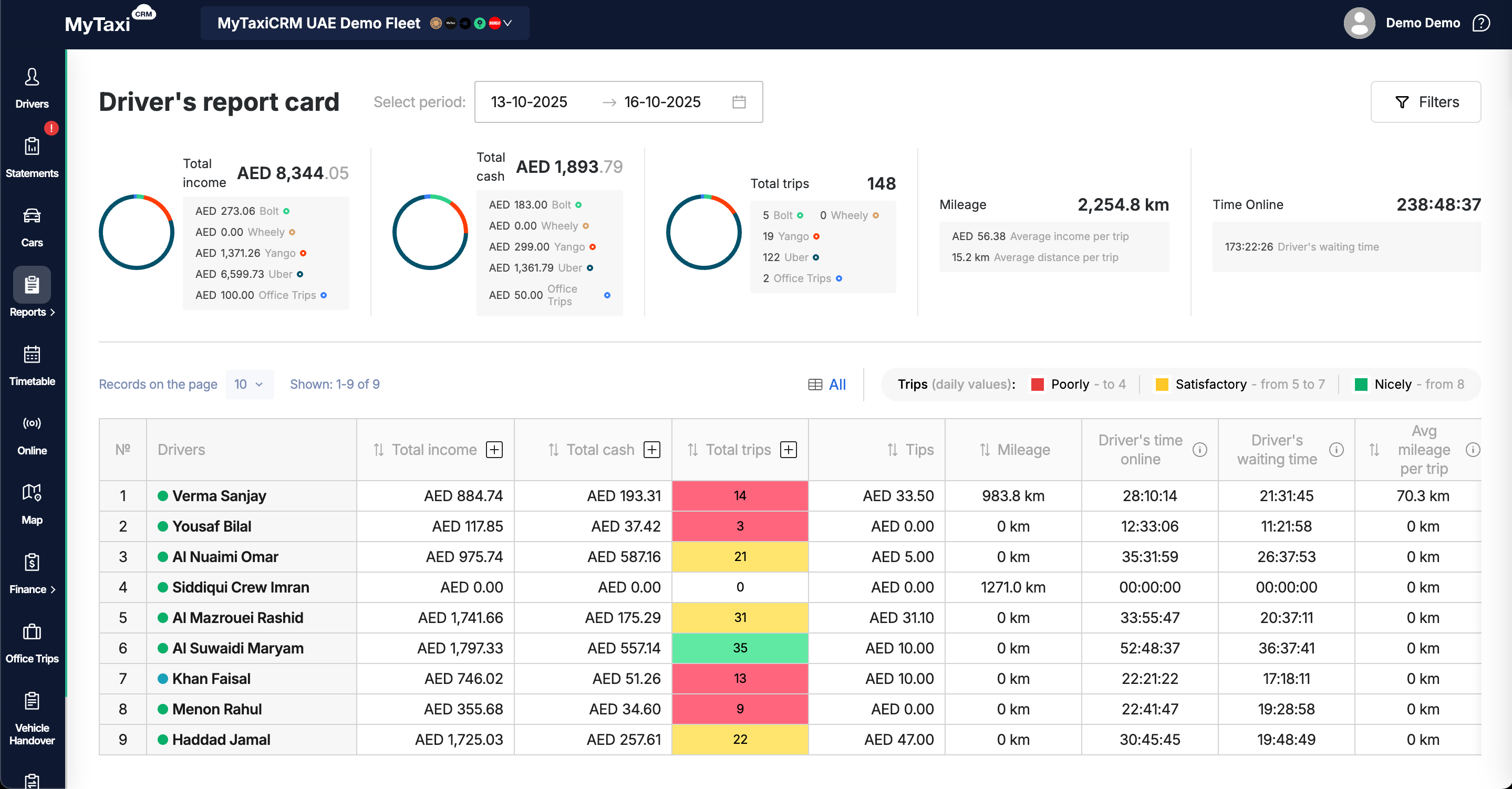
¶ Page Purpose
This page is designed to:
- Monitor individual and total driver performance metrics.
- Identify the most (top-performers) and least active (underperformers) drivers.
- Evaluate average mileage (kilometrage) and waiting times.
- Track cash and non-cash income distribution.
- Optimize workload and improve efficiency of the fleet.
¶ Main Metrics Dashboard
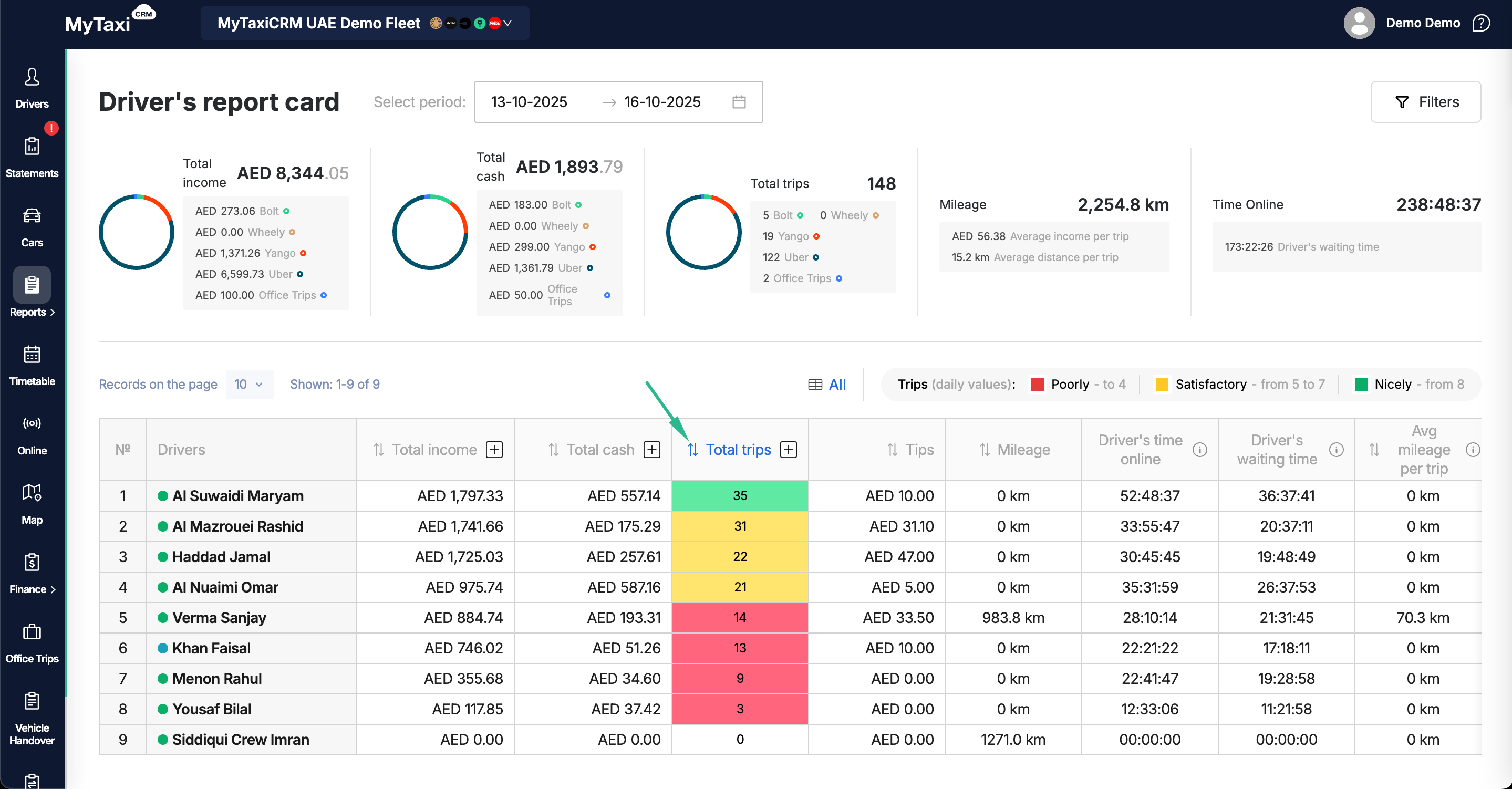
At the page top, you can find a dashboard that combines all drivers' data for the selected period into a master chart.
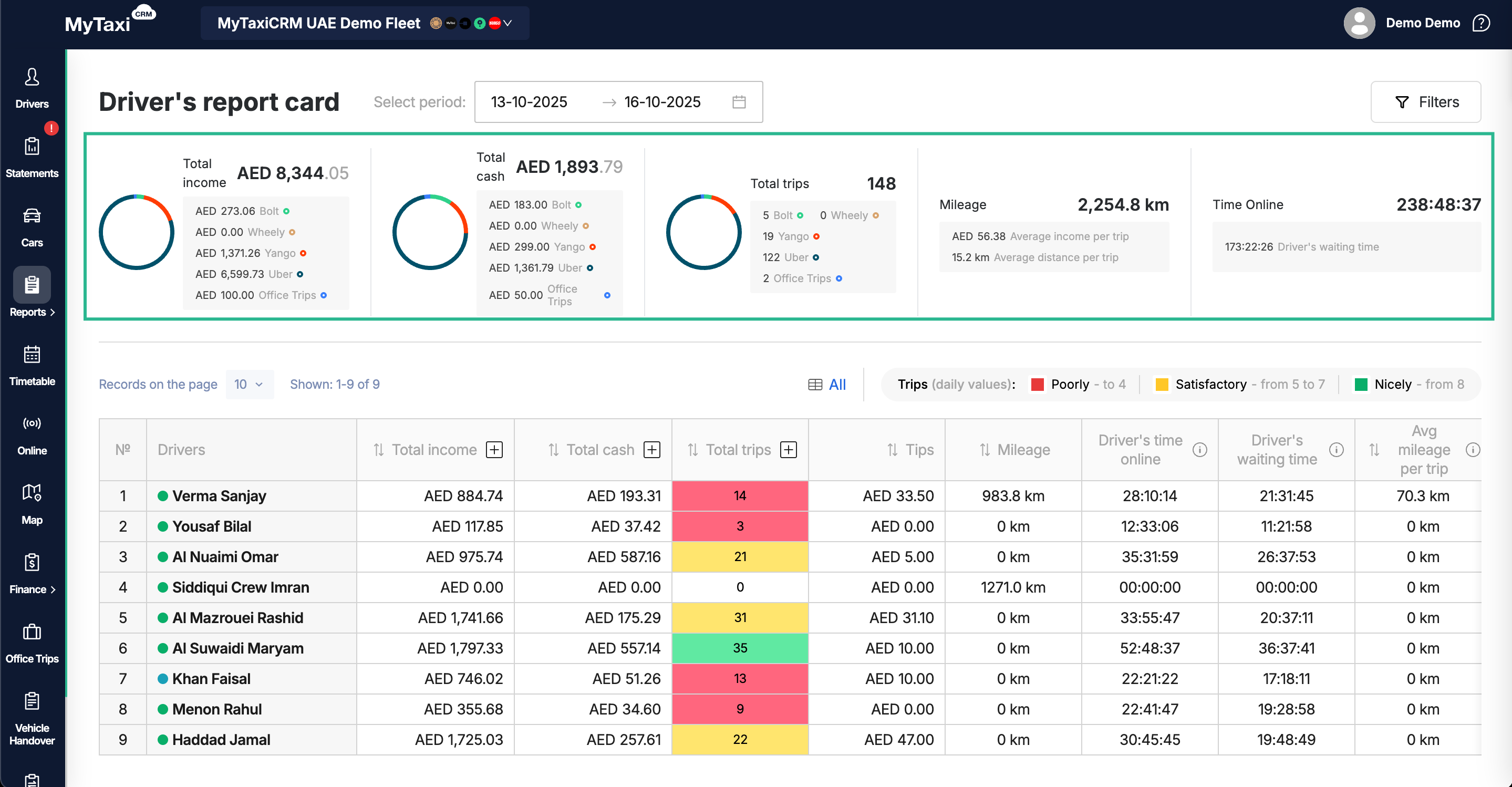
Metric Description:
- Total income – сombined revenue across all connected ride-hailing platforms and built-in functionality (i.e. «Uber», «Bolt», «Office Trips», etc.).
- Total cash – total amount of cash collected by drivers within the selected period.
- Total trips – total number of completed trips across all sources.
- Mileage – total distance covered plus average values (income per trip, distance per trip).
- Time online – total time drivers were active (online).
- Includes Driver’s waiting time – time spent online without active rides (without heading to the customer or following the route to the destination).
⚠️ Each metric is displayed with visual charts and breakdowns by platform (service) and/or «Office Trips».
¶ Driver Table Columns
You can scroll the table to the right to see all available columns of metrics & indicators of each driver in the fleet.
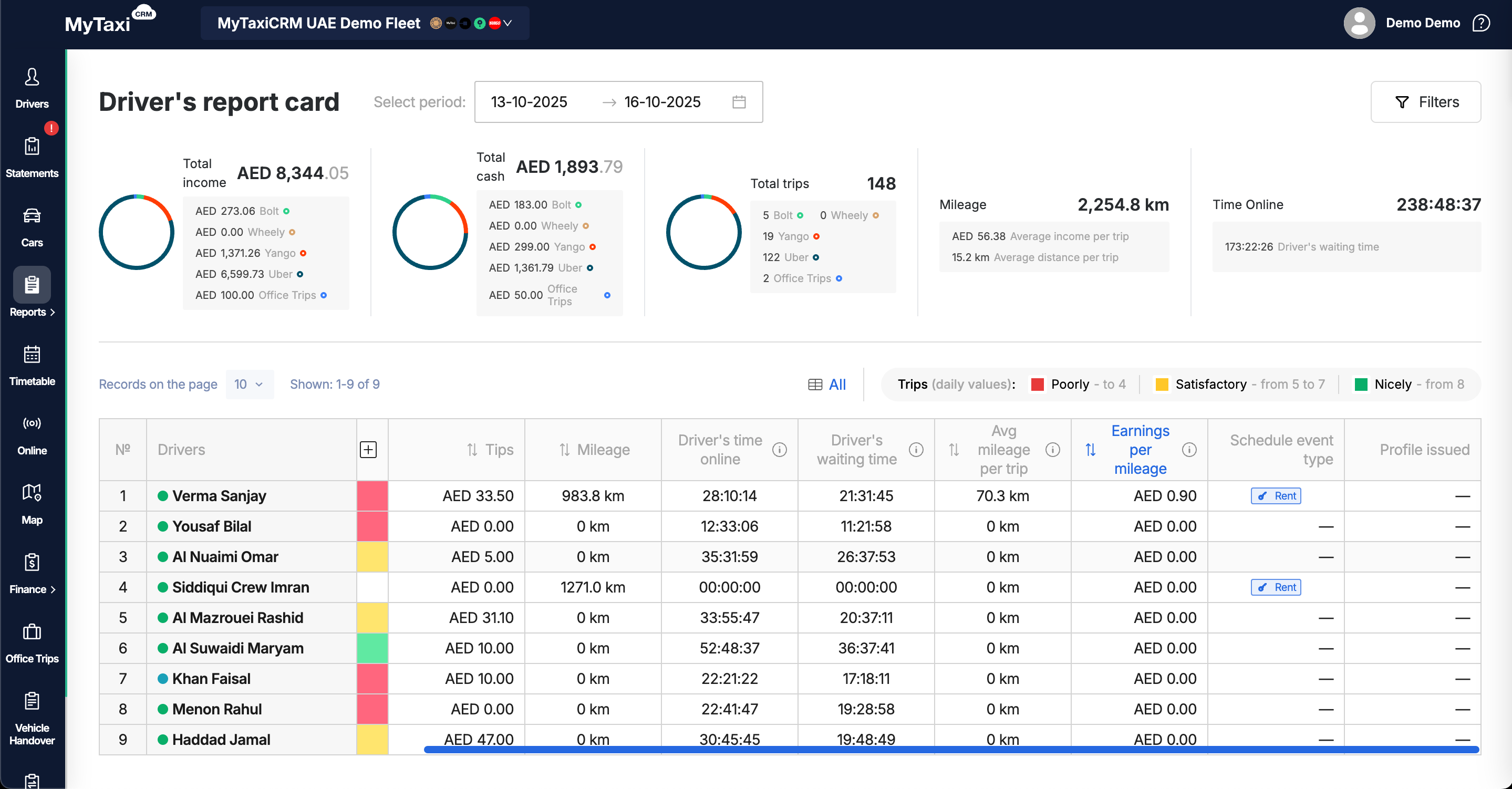
| Column | Description |
|---|---|
| № | The driver's ordinal number (position) in the current display mode of the table list. |
| Drivers | Full names of drivers, as stated in their respective profiles. Show more (actions available).If you click on one of them, you will be taken to the profile card of the chosen driver. |
| Total income | Driver’s total earnings amount for the period selected. Show more (actions available).Click on the «+» button to view the income for every integrated ride-hailing platform. |
| Total cash | Cash collected and received by the driver from passengers; this is a fraction of the drivers' previous column amounts (from Total Income). Show more (actions available).Click on the «+» button to view the cash for every integrated ride-hailing platform. |
| Total trips | Amount of completed trips of a particular driver. The column cells fill color indicates driver's performance level: 🔴 → Poor, 🟡 → Satisfactory, 🟢 → Good (a white background indicates an absence of data or zero). Show more (actions available).Click on the «+» button to view the quantity for every integrated ride-hailing platform. |
| Tips | The sum of tips received by drivers in the currency of the fleet company. |
| Mileage | The total distance driven by the driver during the selected period (in km). |
| Driver’s time online | Amount of time spent online by the driver (all integrated ride-hailing platforms and built-in «Office Trips» dispatch). |
| Driver’s waiting time | The total duration of periods when the driver was online but not performing trips (all integrated ride-hailing platforms and built-in «Office Trips» dispatch). |
| Avg mileage per trip | Average distance of trips completed (average length of routes of the total number of trips). |
| Earning per mileage | Average driver earnings per kilometer in the currency of the fleet company (for the set of trips made). |
| Scheduled event type | The type of schedule events assigned to particular driver in the selected timeframe. |
¶ Filters & Sorting
Use the Filters button (top-right corner) to narrow down results by date, platform, or other available parameters.
- Click on the «
⇅» icon for each of the column headers to sort the data in the table according to the selected metric: total income, driver's cash balance, number of trips made, tips, mileage (kilometrage), time online, etc. - Use the pagination menu to adjust the number of records displayed per page (10, 25, 50, etc.).
¶ Use Cases
- Track the top-performing drivers by income and/or trip volumes.
- Identify inactive or underperforming drivers.
- Compare results in different timeframes and sets (e.i. days, weeks, or months).
- Evaluate the balance between working & waiting times.
¶ Navigation Path
Pick a desired fleet (you need to be on a fleet level in your MyTaxiCRM company's account) → Reports section in left pane → Driver’s Report Card.