MyTaxiCRM system calculates daily over-mileage (extra kilometers driven without fulfilling orders) per driver/car and suggests a fine based on your rules. You can review details (timeline, seat-sensor triggers, potential untracked trips etc.), then «Apply», «Edit» amount, or «Decline» a proposed fine.
¶ Rules configuration
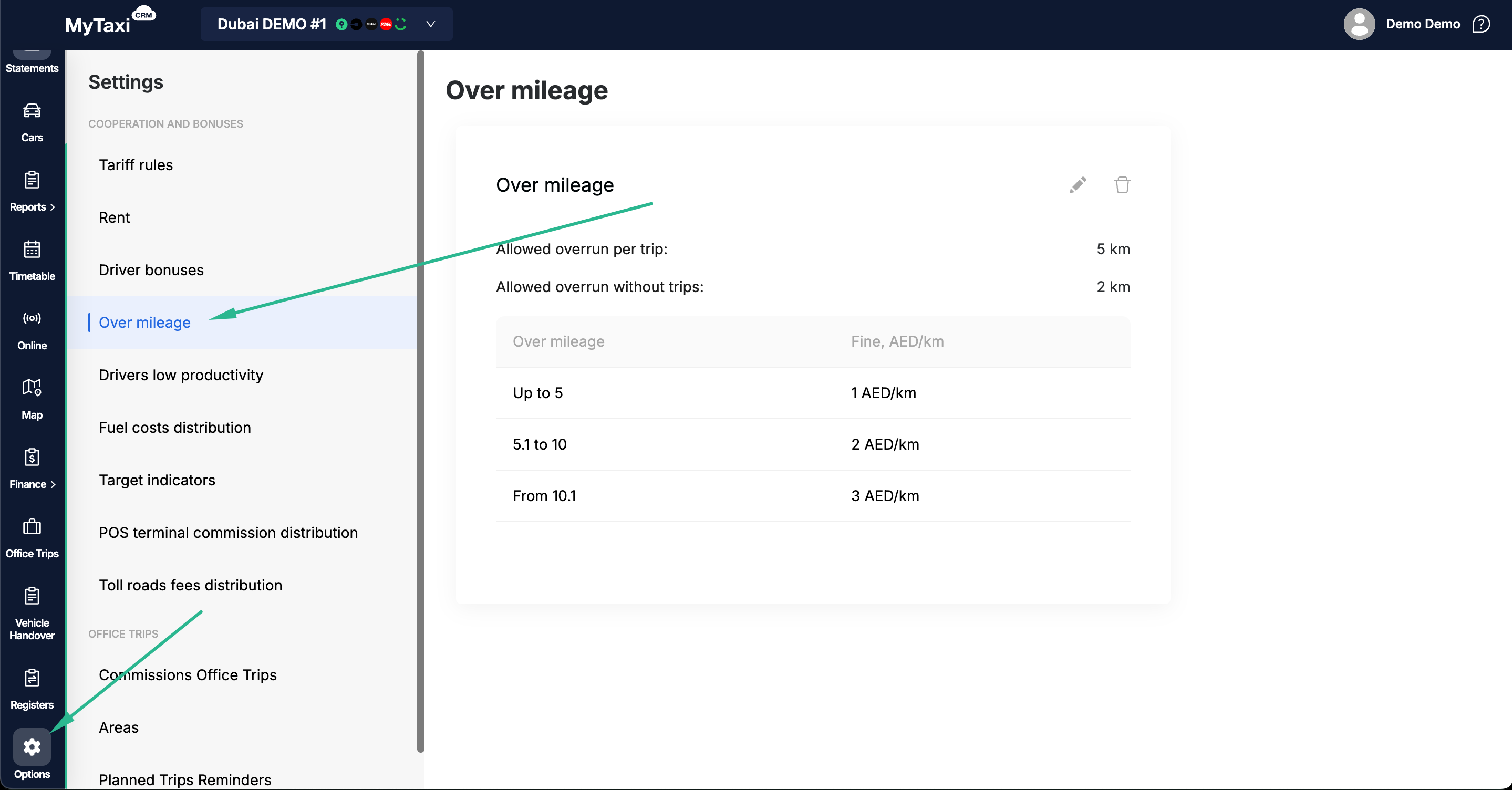
- You need to be on a fleet level in your MyTaxiCRM user's accout → go to ⚙️ Options → Over mileage.
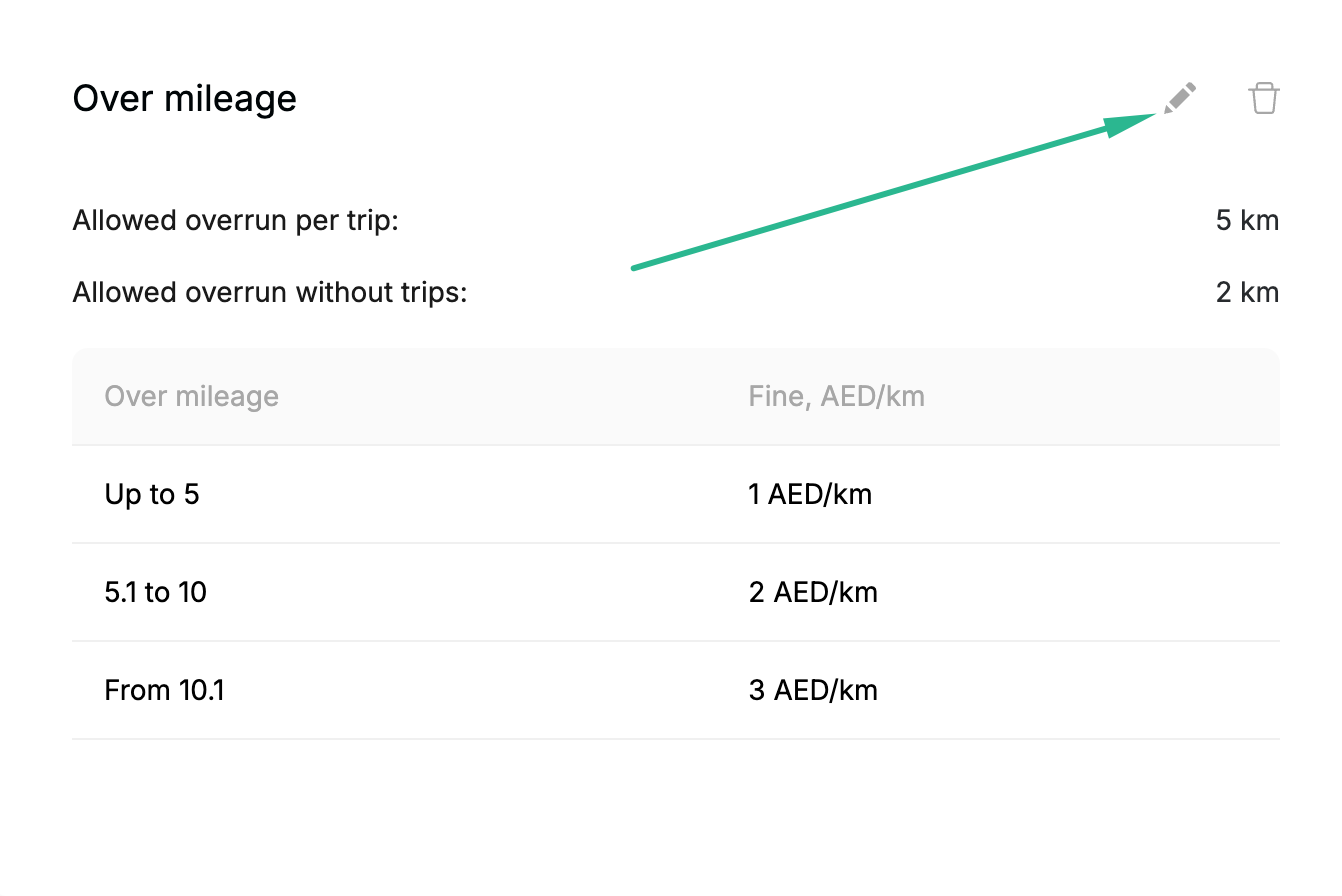
- In the corresponding block, click on the 🖊️ pencil icon at the top right.
Here you can set following rule's modificators:
- Allowed overrun per trip* — free distance in kilometers allowed to exceed for each completed trip (in our example:
5 km). - Allowed overrun without trips* — free destance in kilometers allowed to exceed even without any trips completed on given day (in our example:
2 km). - Tiered over-mileage fines (⊕ Conditions):
- From → To / From and above – rides distances batches (km per trip);
- Fine, AED/km – fine amount that will be automatically applied when rule is in use (your fleet's currency per km).
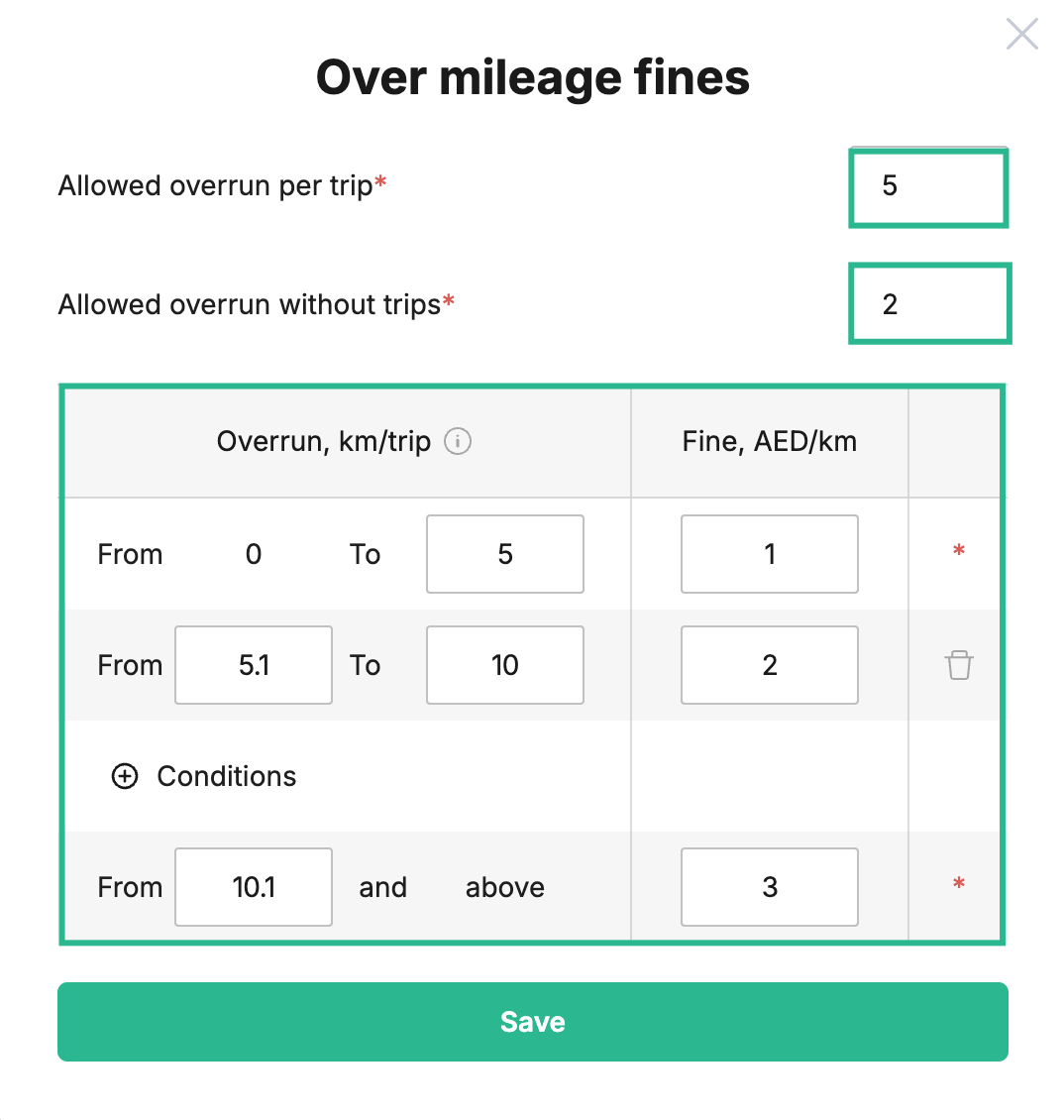
- You may click Save button, to apply conditions or 🗑️ trash bin icon in corresponding block to delete the rule entirely.
¶ Over-mileage rule calcualtion formula
Permitted over-mileage = (Allowed over-mileage without trips) + (Trip count × Allowed over-mileage per each trip fulfilled)
¶ Report itself
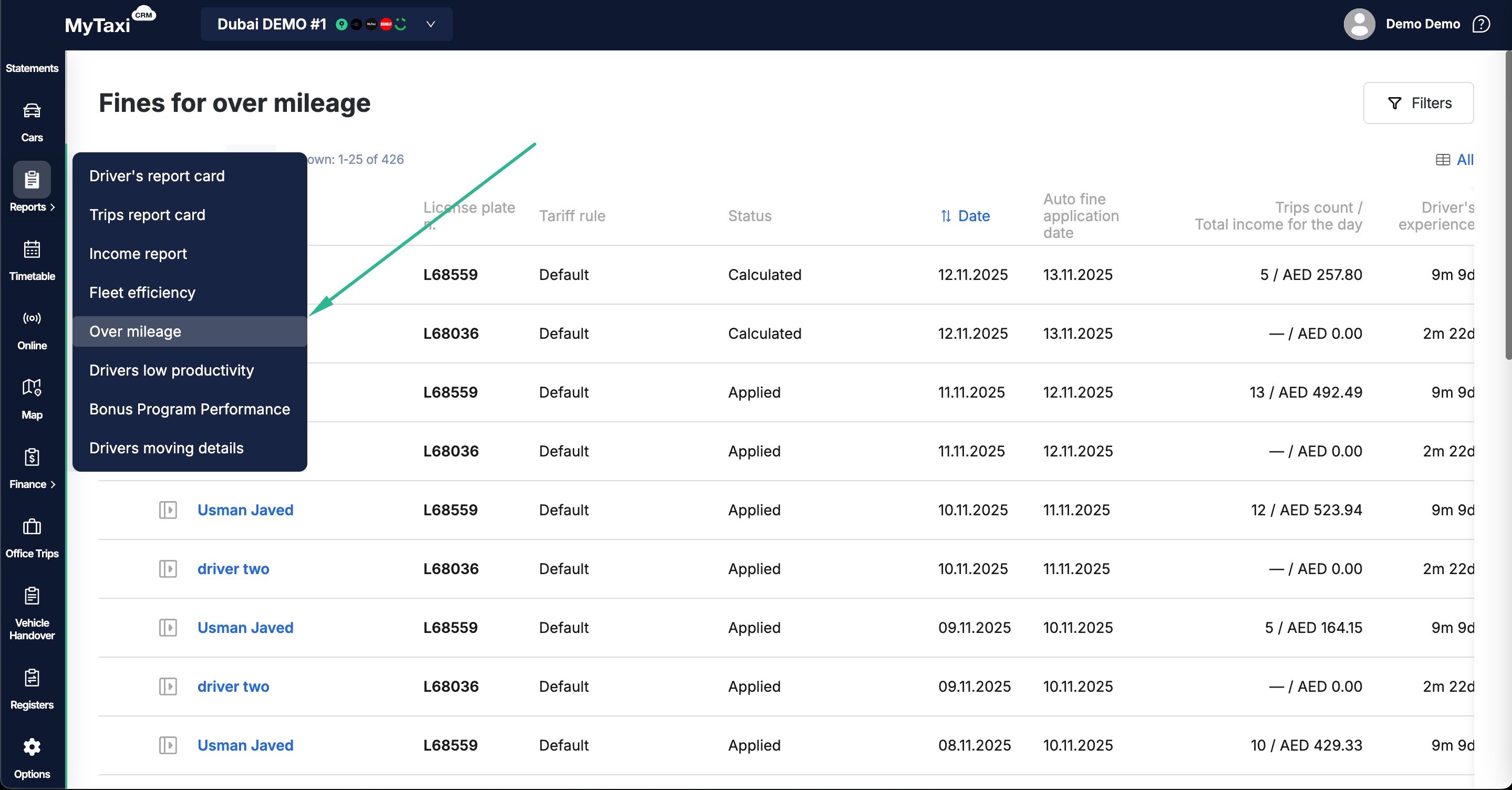
You need to be on a fleet level in your MyTaxiCRM user's accout → go to Reports on the left navigational menu → Over mileage.
¶ Main table columns descriptions
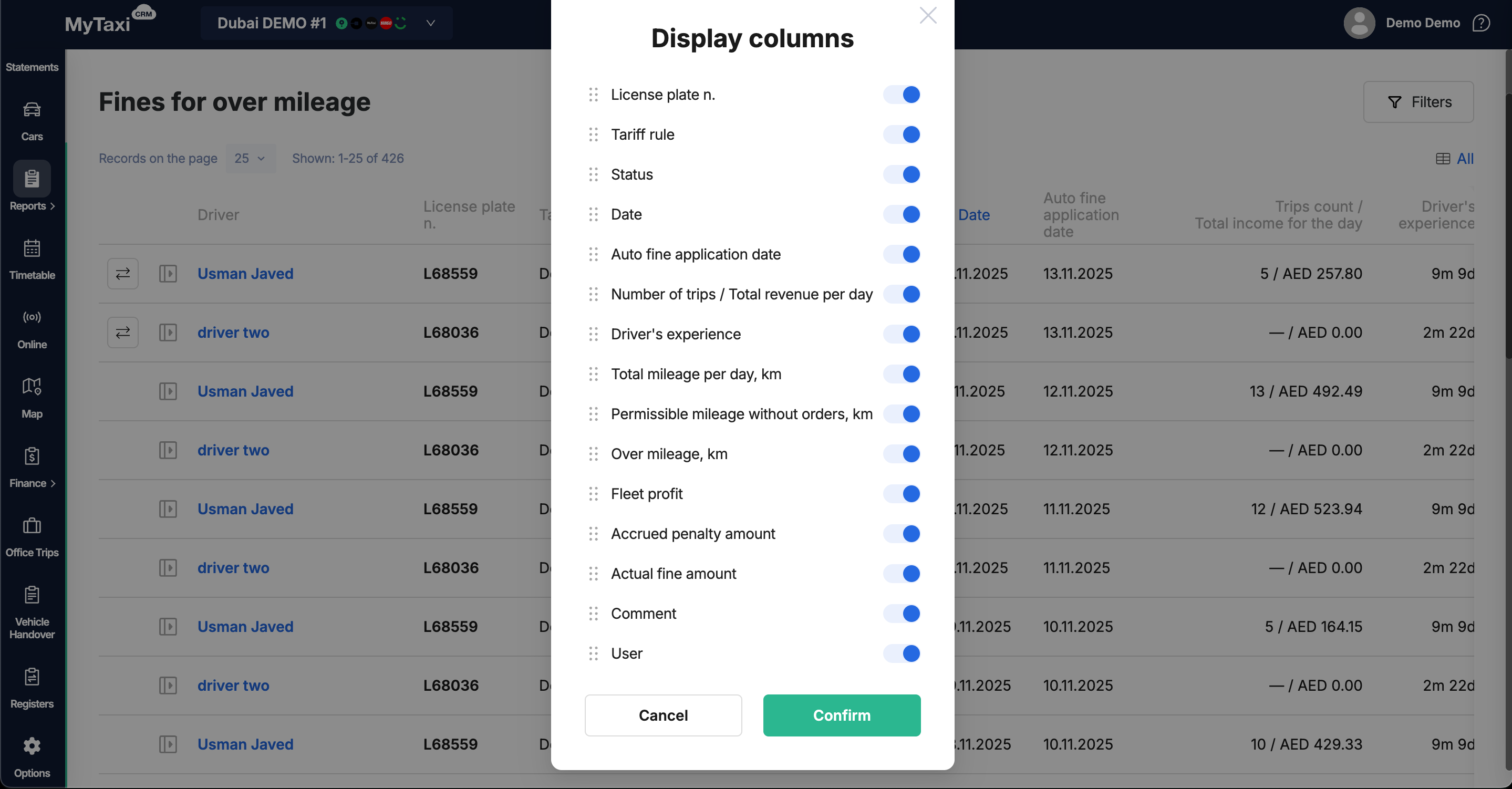
- Driver – particular driver's full name;
- License plate n. – vehicle state registration numberplate;
- Tariff rule – applied to driver/car rule;
- Status – state of the rule itself;
- Date – self-descriptive;
- Auto fine application date – date when rule was automatically applied;
- Trips count / Total income for the day – self-descriptive;
- Driver’s experience – a timecounter that indicates how long a person has been tracked in the fleet company's profile in the MyTaxiCRM system (driver's stay in the fleet);
- Total mileage per day, km – self-descriptive;
- Permissible mileage without orders, km – based on set rule's condition;
- Over mileage, km – a positive value indicates that the limits of the set conditions have been exceeded;
- Fleet profit – total profit of the vehicle fleet for the week when the fine was applied and for the week preceding it;
- Accrued penalty amount – the amount of the fine that was automatically calculated by the system in accordance with the conditions of the set rule;
- Actual fine amount – the actual amount of the fine imposed on the driver (according to the manager's actions – «Apply» / «Edit» buttons);
- Comment – presence and content of optional comments;
- User – the party (role or system itself) that made the action or adjustment.
ℹ️ You can use the filter to further sort the details, and/or use the toggle switch to change the order of display or visibility of columns in the table.
¶ Overview section on the right
- Click at the rectagle icon on the left from the driver's full name to open the current daily details for him/her:
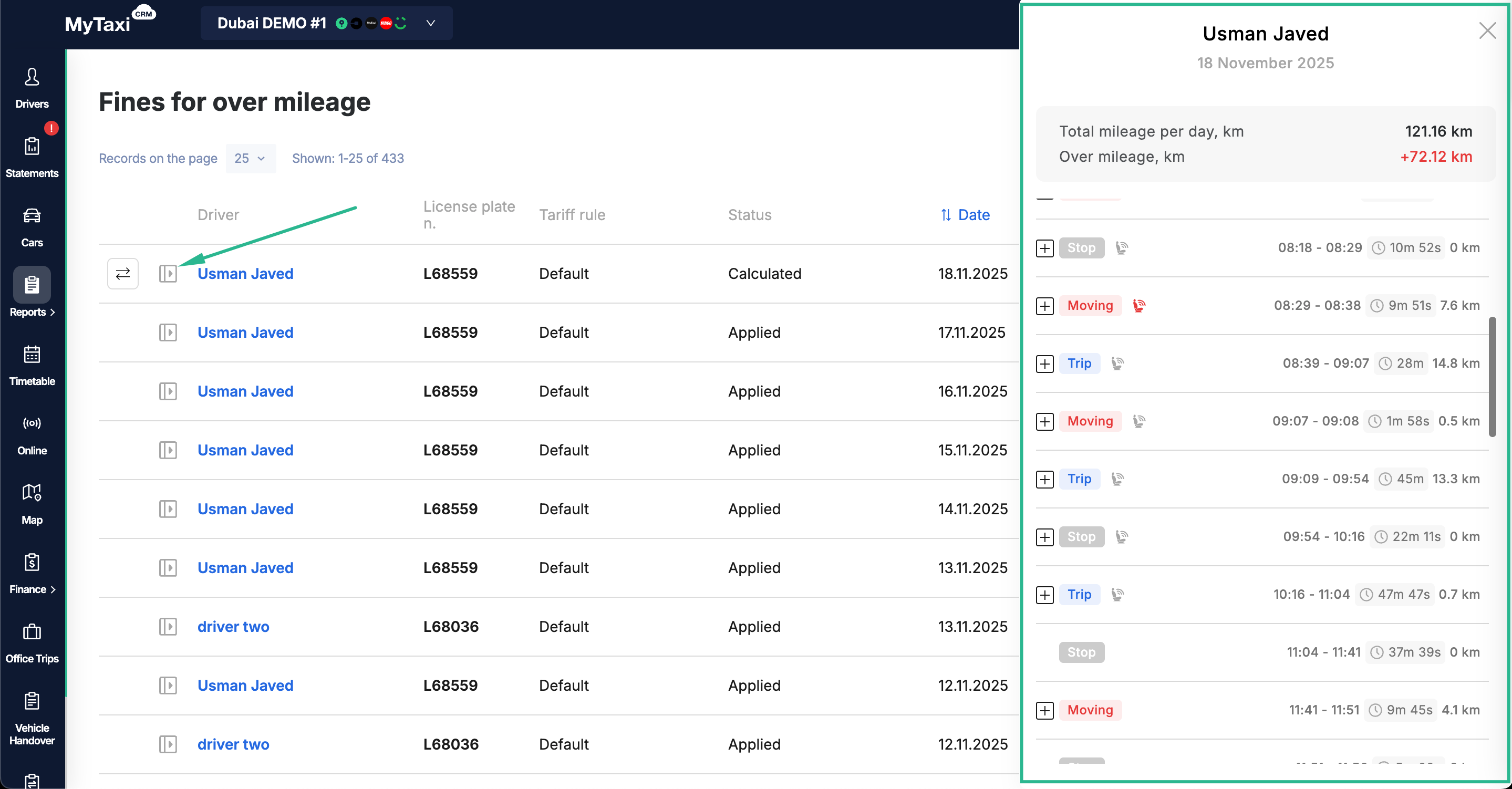
👉 This panel helps you verify whether the excess distance driven were with or without orders, and whether a seat-sensor suggests passenger presence.
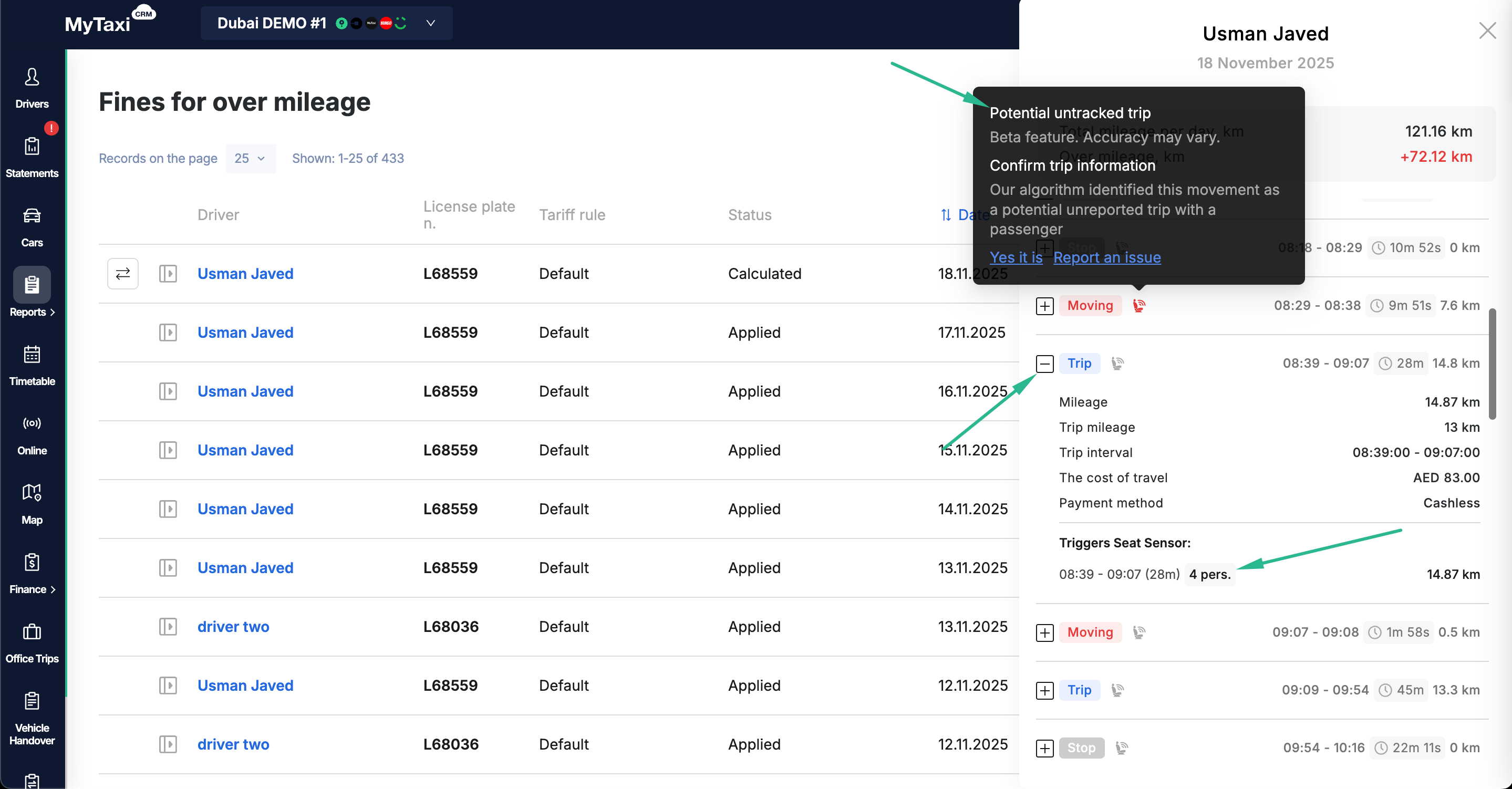
-
Values of Total mileage per day, km & Over mileage, km are shown on top.
-
Timeline blocks with the following labels:
- Moving – detected vehicle's movement without an order in any of integrations or Office Trips;
- Stop – time when the car did not move (idling);
- Trip – time when driver/vehicle were fulfilling Office Trips or ride-hailing platforms' integrations' order, its duration and distance in kilometers.
-
Triggers Seat Sensor:
- 4 pers. – the quantity of persons in the cabin; the seat sensors were activated, but our algorithm does not consider such a trip to be fraudulent, since they were triggered when the vehicle was parked, or in the state of active order when the distance traveled was too short;
- 💺 red seat icon – the algorithm considers such a trip to be potentially fraudulent, as the seat sensors were activated while the car was moving a significant distance without an active order being processed.
-
(β) Potential untracked trip – «Our algorithm identified this movement as a potential unreported trip with a passenger» pop-up banner.
👉 You can confirm the MyTaxiCRM system's AI prediction (click Yes it is) or report that it is incorrect (click Report an issue), thereby improving the detection algorithm.
¶ Actions available for fines
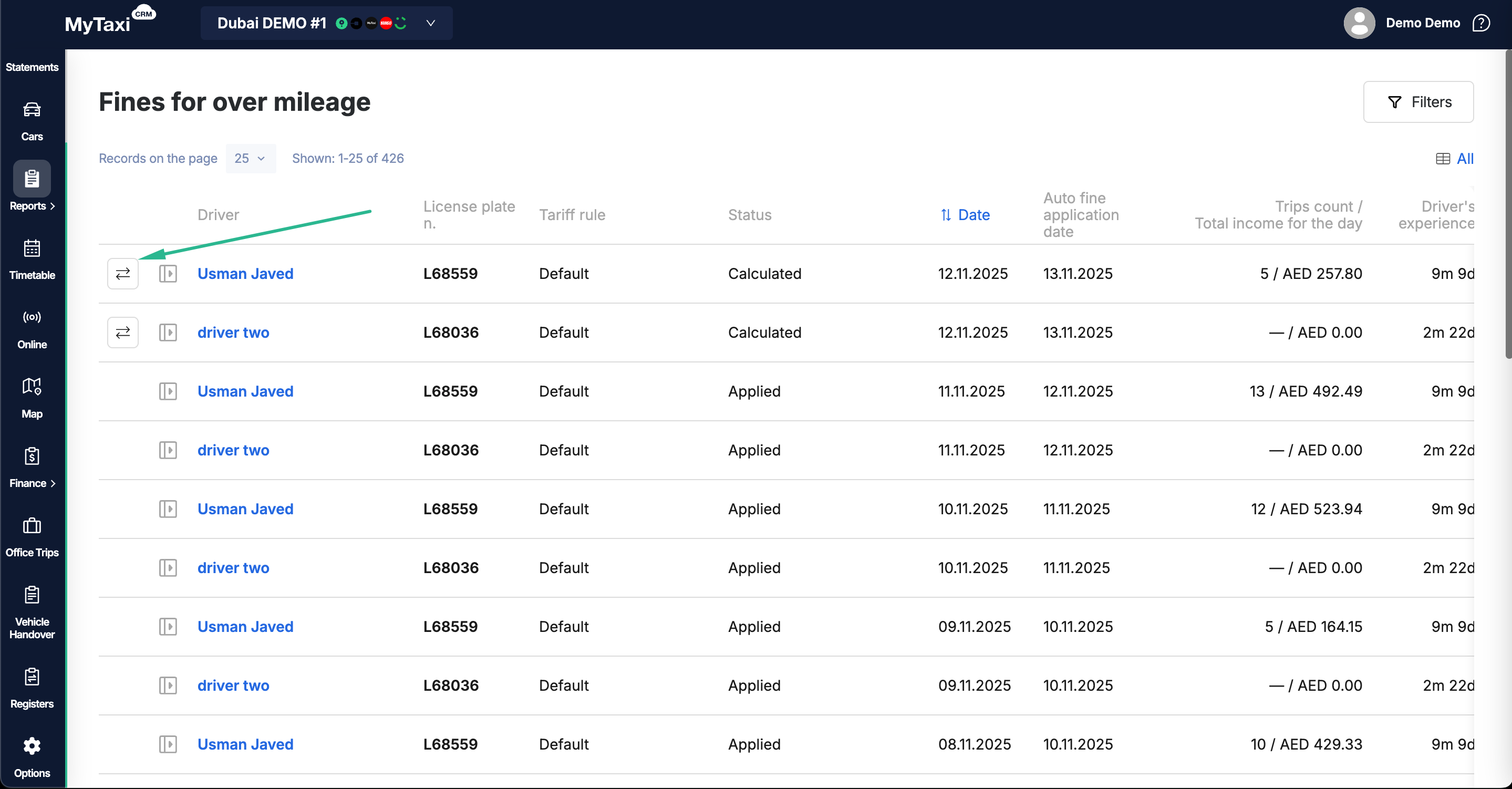
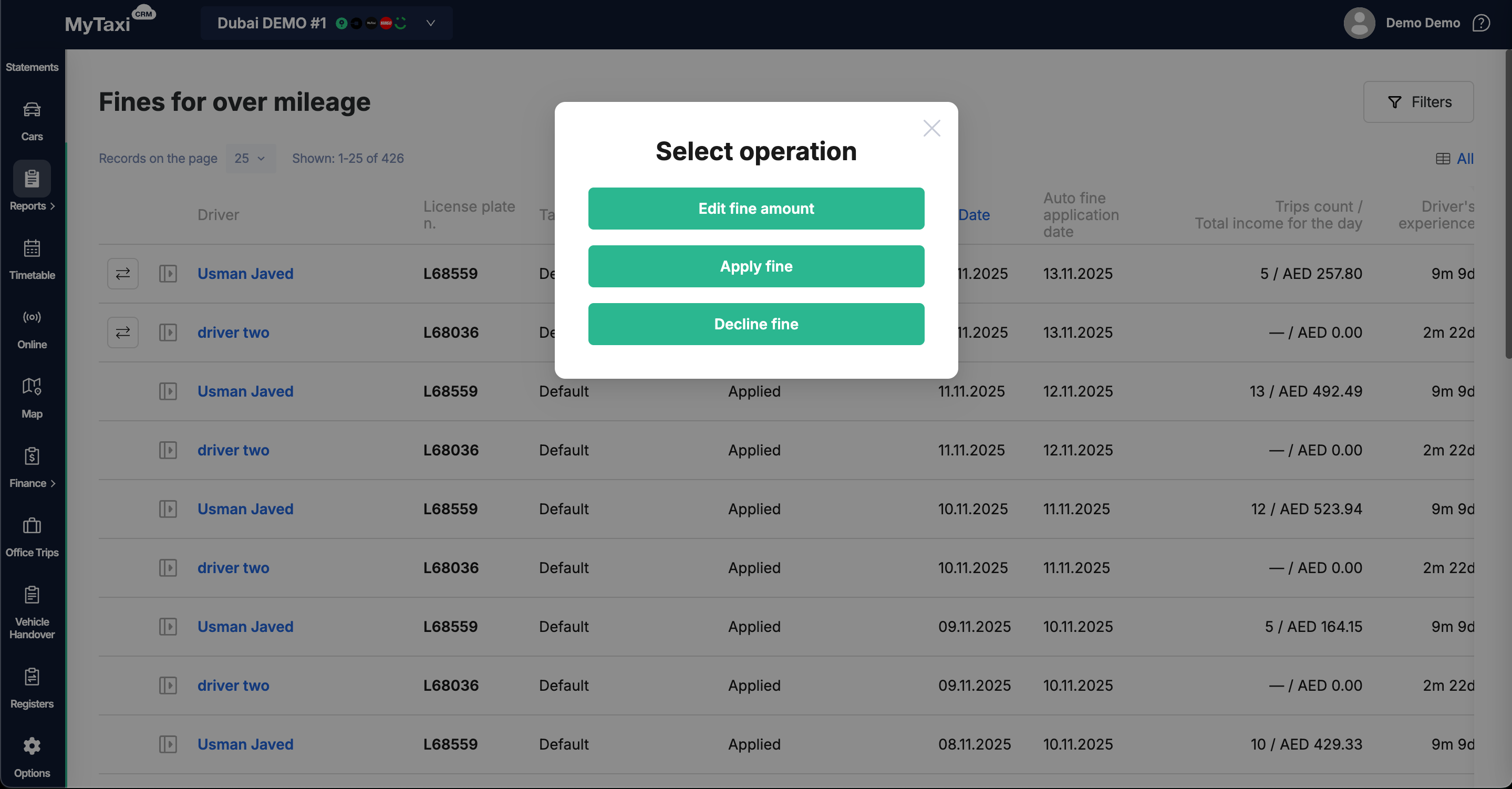
- To perform any of the three available actions (Edit fine amount, Apply fine or Decline fine) regarding an automatically applied fine, click on the
⮂icon to the left of the driver's name in the relevant row of the table of details → Select operation pop-up menu.
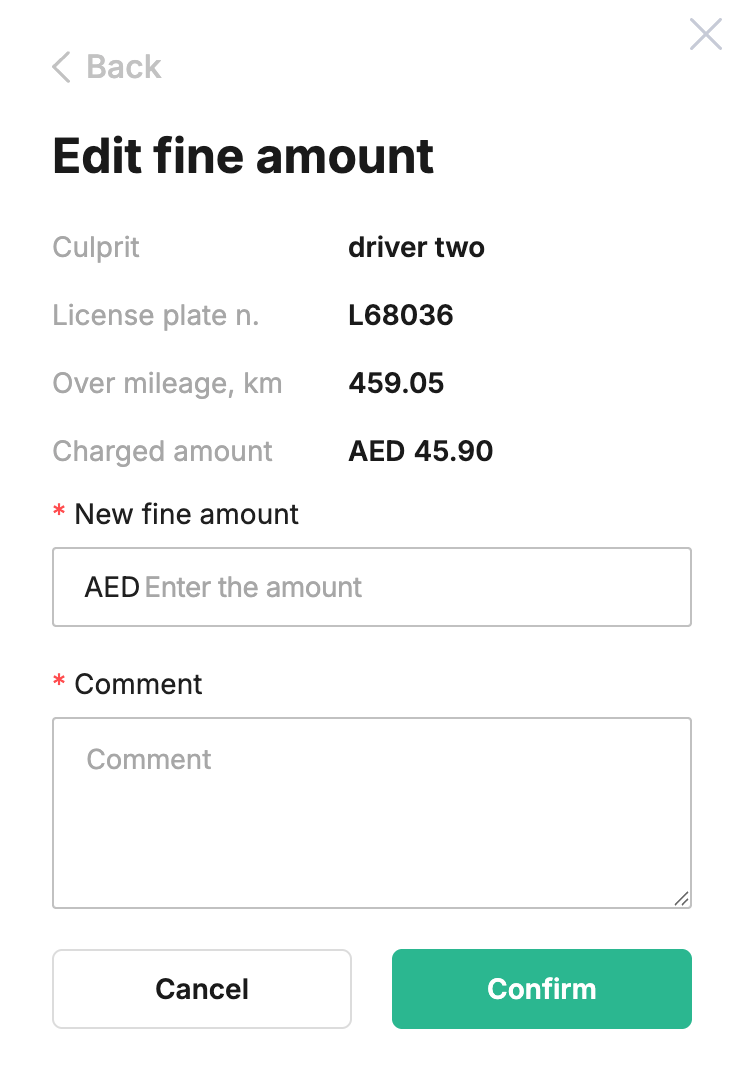
- Edit fine amount — allows you to apply a penalty, but change its amount to any value you specify:
- New fine amount → specify value in fleet's currency;
- Comment → add comment text (e.i. the reason of change);
- Click Confirm to apply or Cancel to revert the changes.
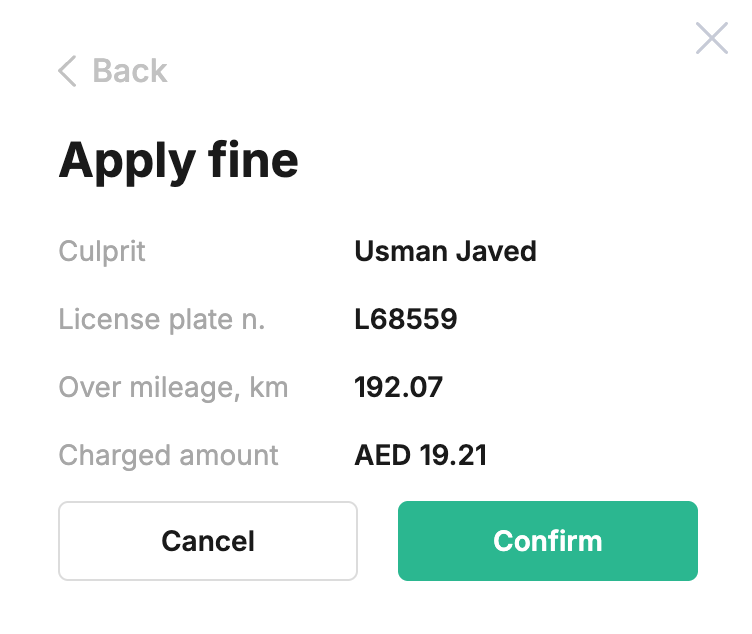
- Apply fine — сonfirms the fine amount suggested by the system and applies it with an indication in Actual fine amount row.
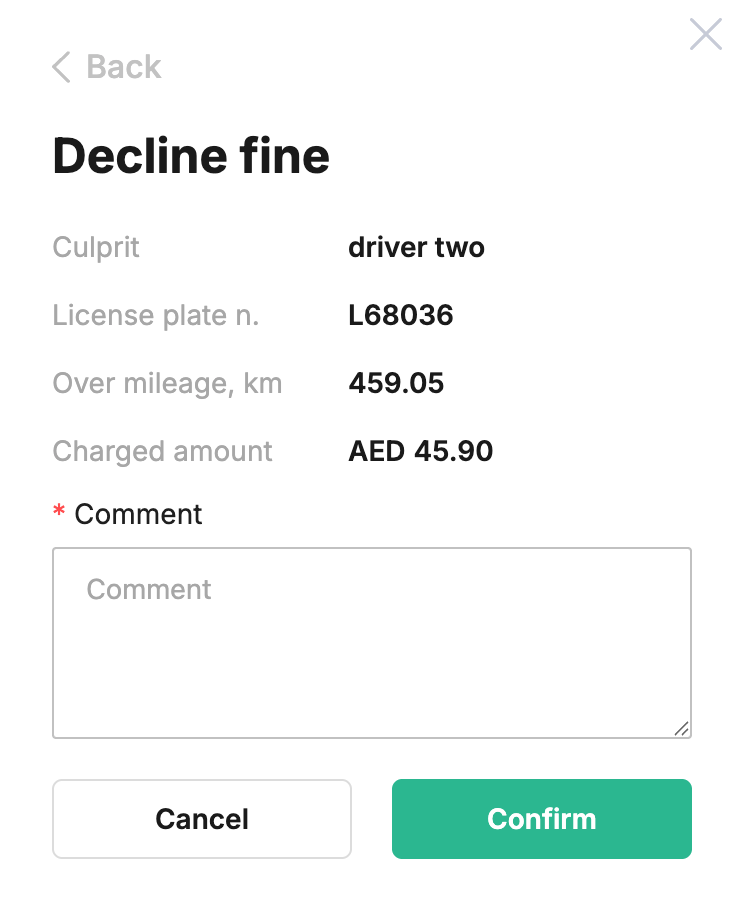
- Decline fine – completely cancels the proposed penalty; this action requires your comment (Сomment field).
👉 After applying any of the actions you have selected, the Status & Actual fine amount fields will reflect your decision.
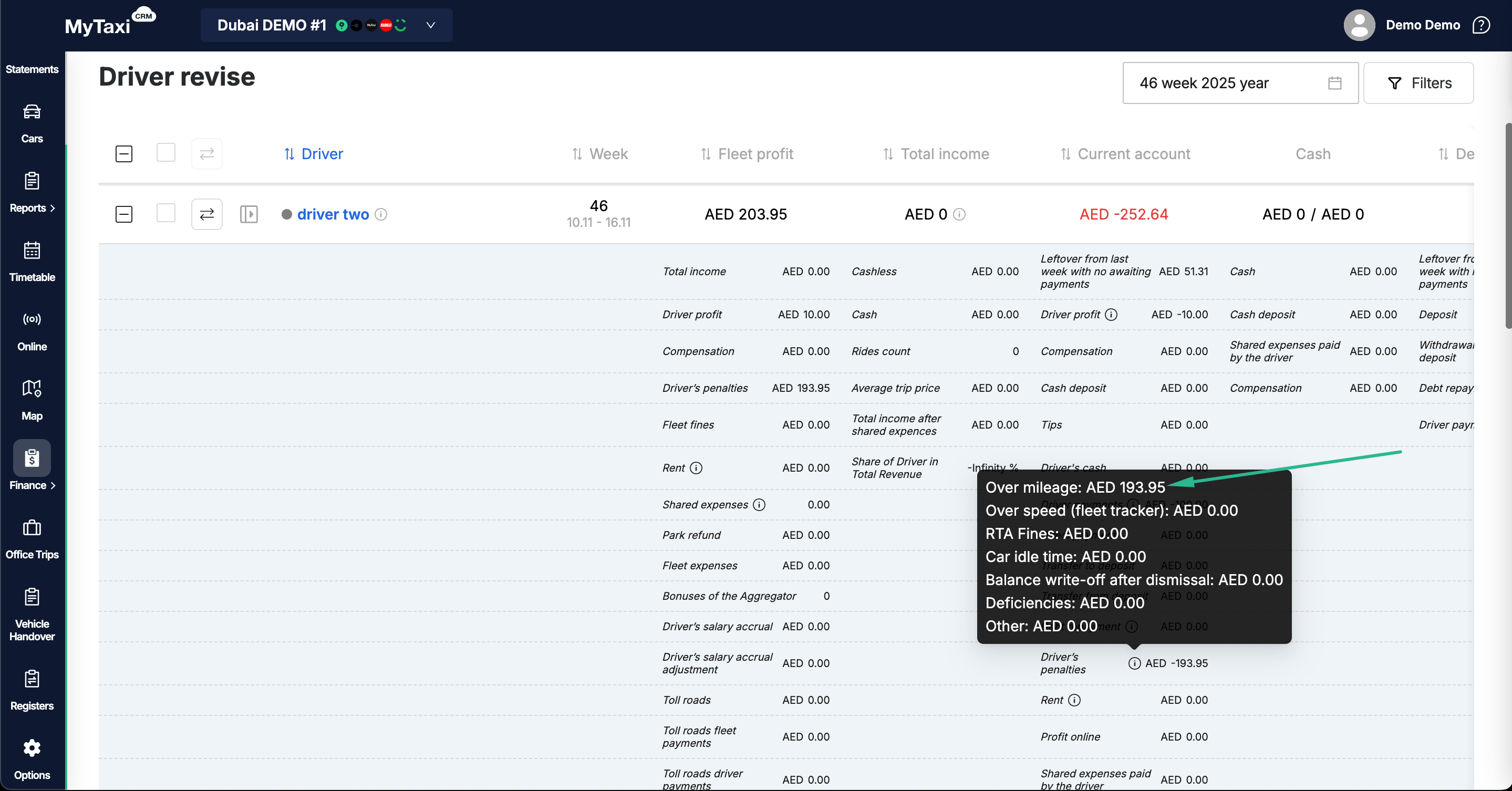
¶ Practical application
Let's assume that the driver has made 3 trips today, and the over-mileage rule conditionss are set as follows:
- Allowed overrun per trip =
5 km - Allowed overrun without trips =
2 km
Therefore, the allowable overmileage is: 2 + (3 × 5) = 17 km
👉 If the total mileage for the day is 100 km and the mileage of the trip covers the order, then the mileage excess is the mileage exceeding the permitted 17 km when the car was moving without orders. The penalty will be calculated in 0~5 km | 5.1~10 km | >10.1 km ranges (batches), based on your AED/km conditions set.