¶ Bonus rules configuration
Left navigation bar at the fleet level → ⚙️ Options → Driver Bonuses → ⊕ Add bonus conditions → a pop-up window appears with settings for new bonus rules called «New bonus conditions».
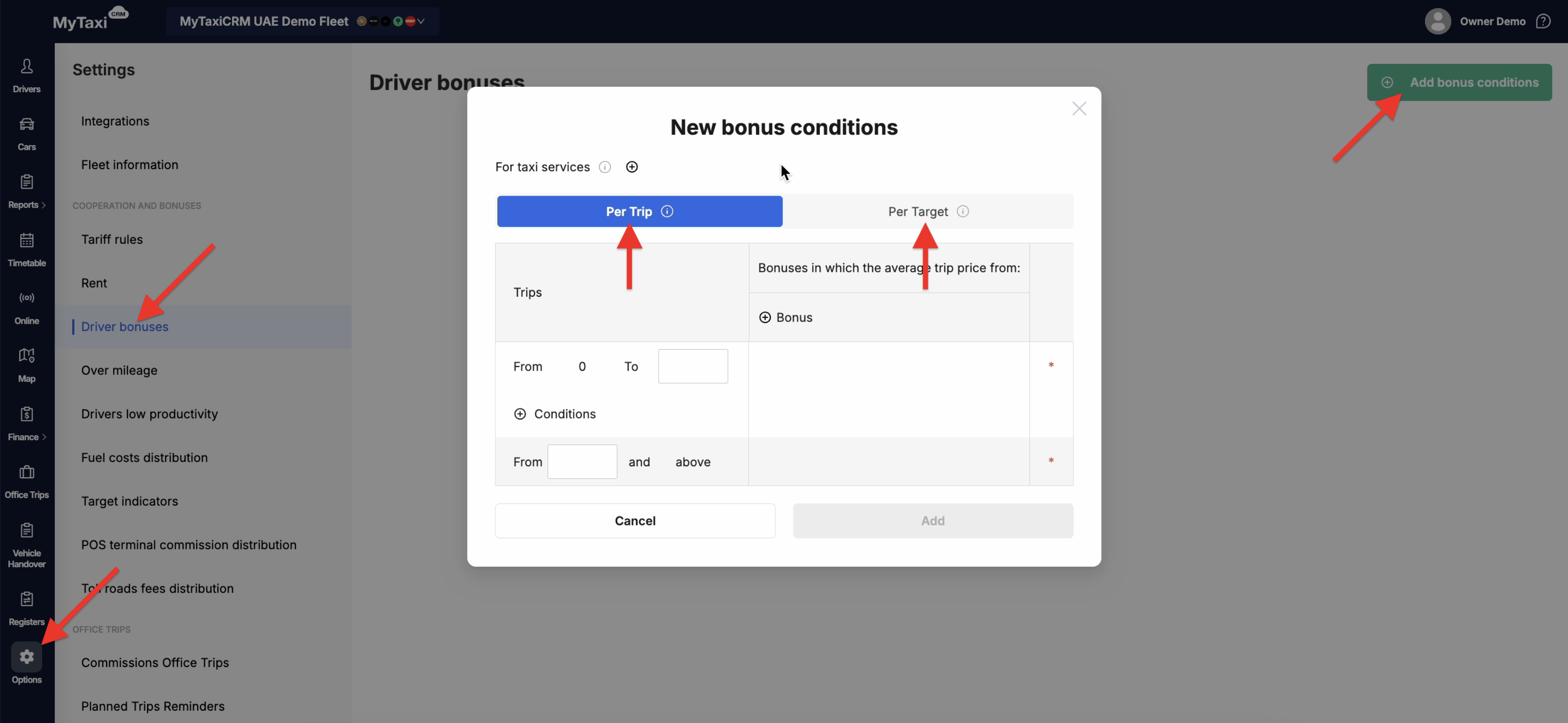
There are two ways to set up bonus calculations:
- Per trip ⓘ – a mode when driver earns bonus per each trip in ranges set (predefined). The final weekly bonus for a particular driver equals the sum of all rewards of all such ranges.
- Per target ⓘ – a mode where the driver will receive a fixed bonus amount for achieving a specific goal or KPI. This is best suited for our customers from Azerbaijan who want to deduct the bonus amount from the rental price of their cars for drivers who have achieved their goals.
¶ Setup process for a specific ride-hailing platform
Let's explore the configuration process using the second configuration variation (Per target ⓘ) for the «Bolt» ride-hailing platform as an example:
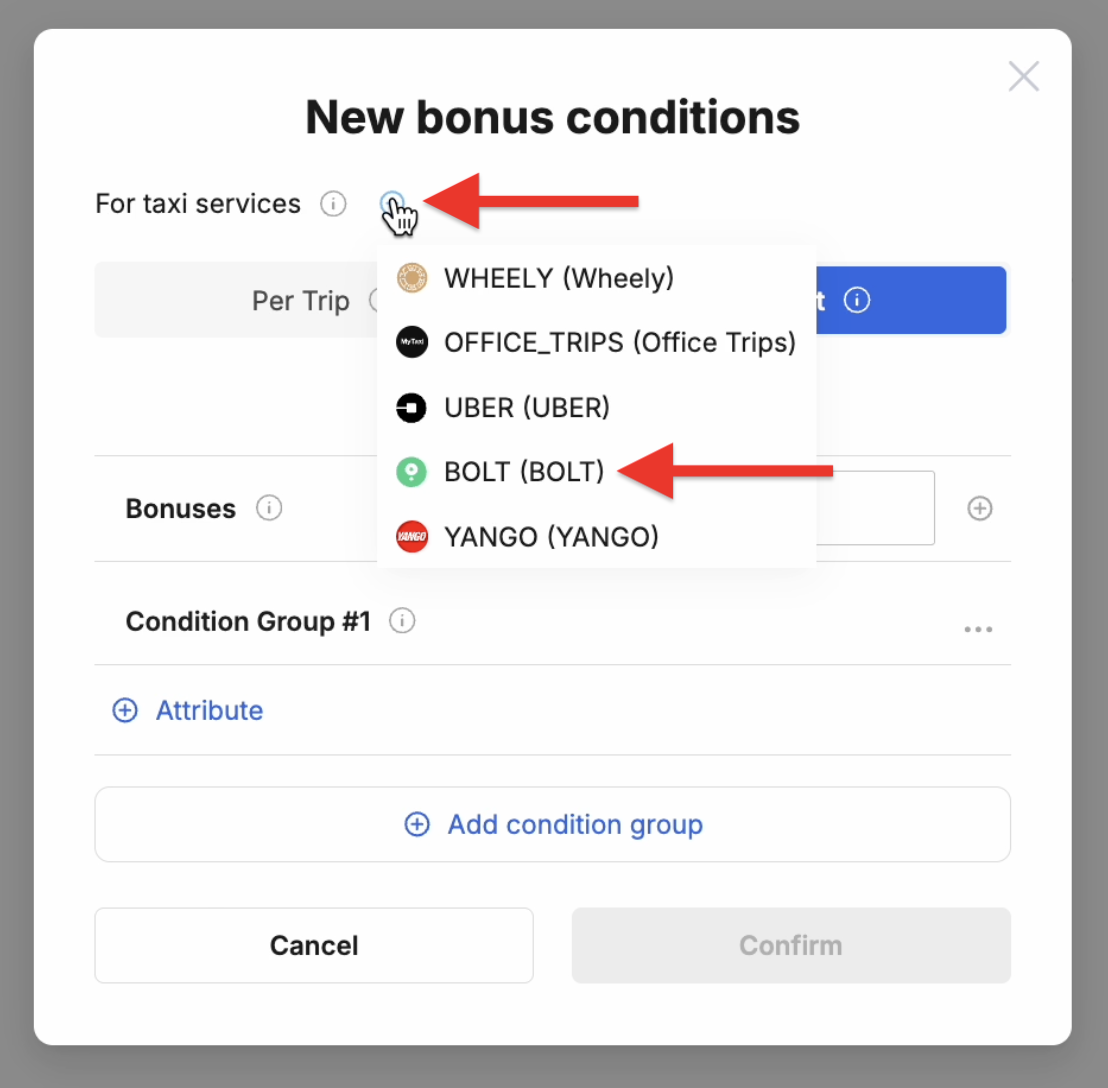
- To the right of For taxi services ⓘ, press the ⊕ button and select the desired integration (in our example, we need to select «Bolt»).
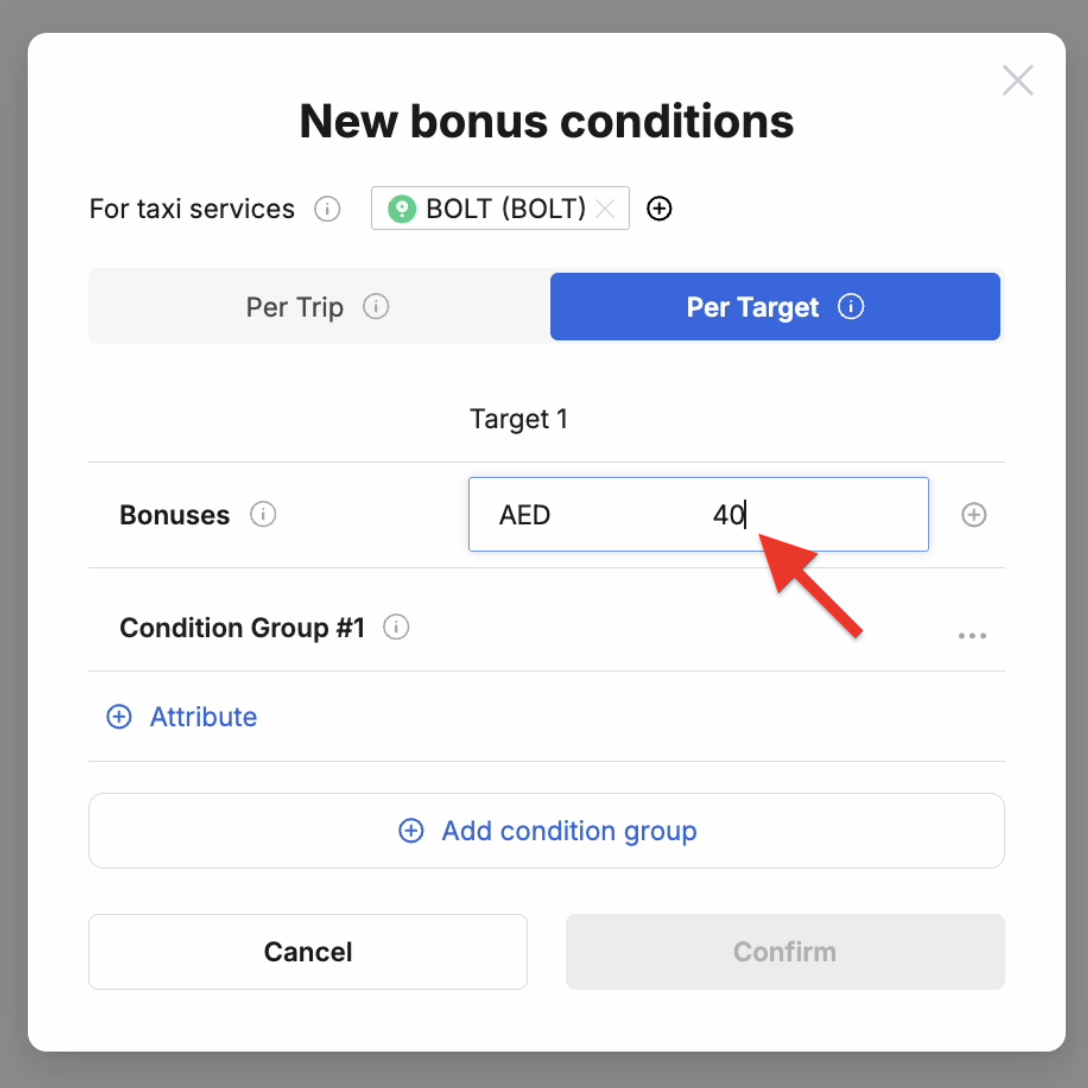
- There are several lines, the 1st of which is Bonuses ⓘ. It allows you to specify the bonus amount in the fleet’s currency that the driver receives upon achieving the set goal(s).
- Next are the conditions under which the driver receives the specified amount. The Condition Group #1 ⓘ line allows you to set the rules for this group (you can add more groups and thus segment the sets of conditions using the ⊕ Add condition group button below).
Each group has condition attributes that are added using the corresponding ⊕ Attribute button. There are four (4) attribute options, namely:
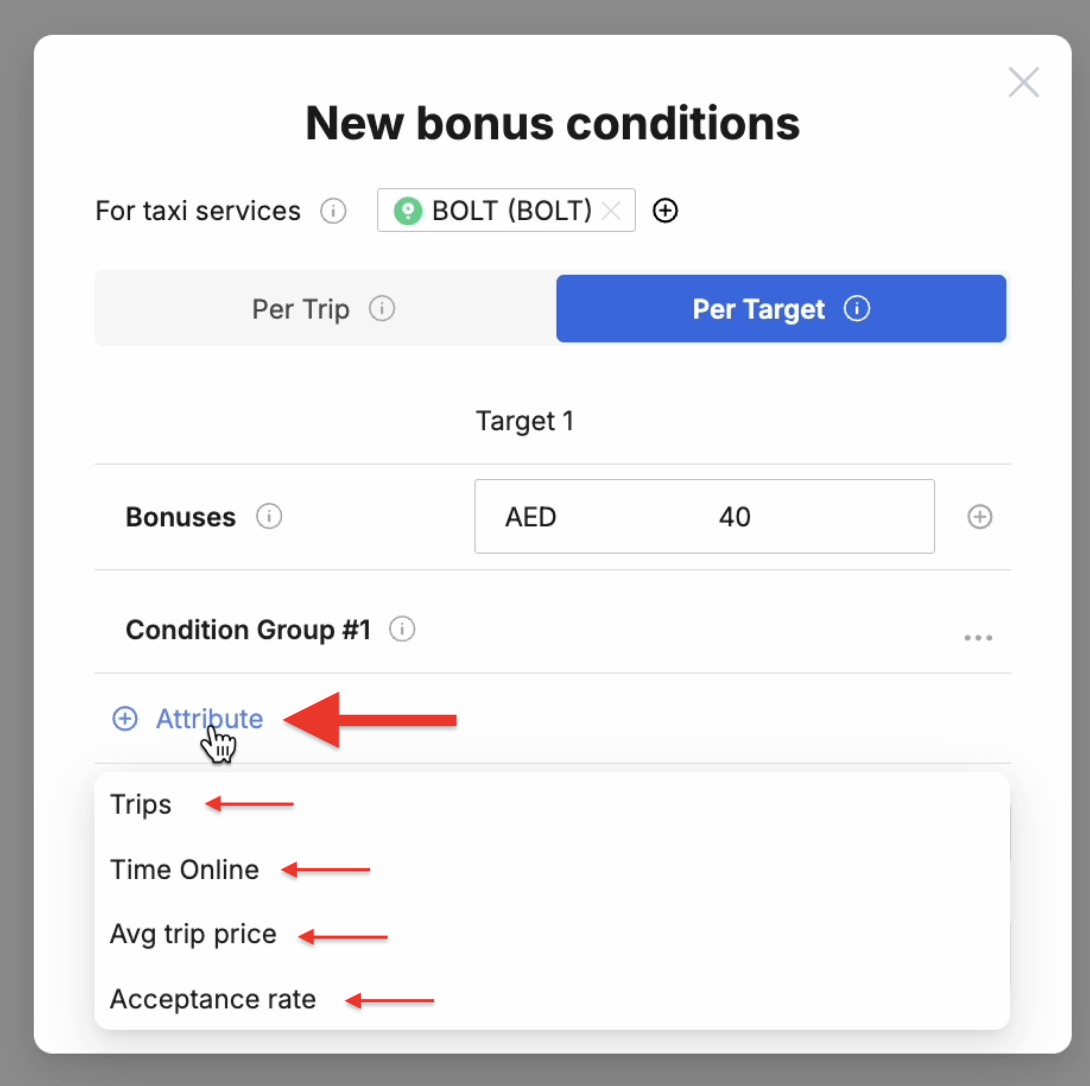
- Trips – the number of successfully completed trips (orders from the ride-hailing platform);
- Time Online – the time the driver spent waiting for orders or executing them (in other words, being «on duty», i.e., online in the ride-hailing platform’s driver’s app);
- Avg trip price – average price of rides conducted;
- Acceptance rate – the percentage of orders that a driver accepted and completed out of the total number of ride requests he/she received (a metric for evaluating supply performance, popular among ride-hailing platforms).
⚠️ Bonuses for fleet’s drivers are allocated according to set groups of attributes’ conditions by the MyTaxiCRM system on a week-by-week basis, which corresponds to the timeframes of their calculation by the ride-hailing platform in favor of the vehicle fleet company.
¶ Operational logic example No.1
Let's pretend I want to pay the driver 40 dirhams (the currency of the UAE-based fleet company from the MyTaxiCRM test user account) if he successfully completes 100 trips.
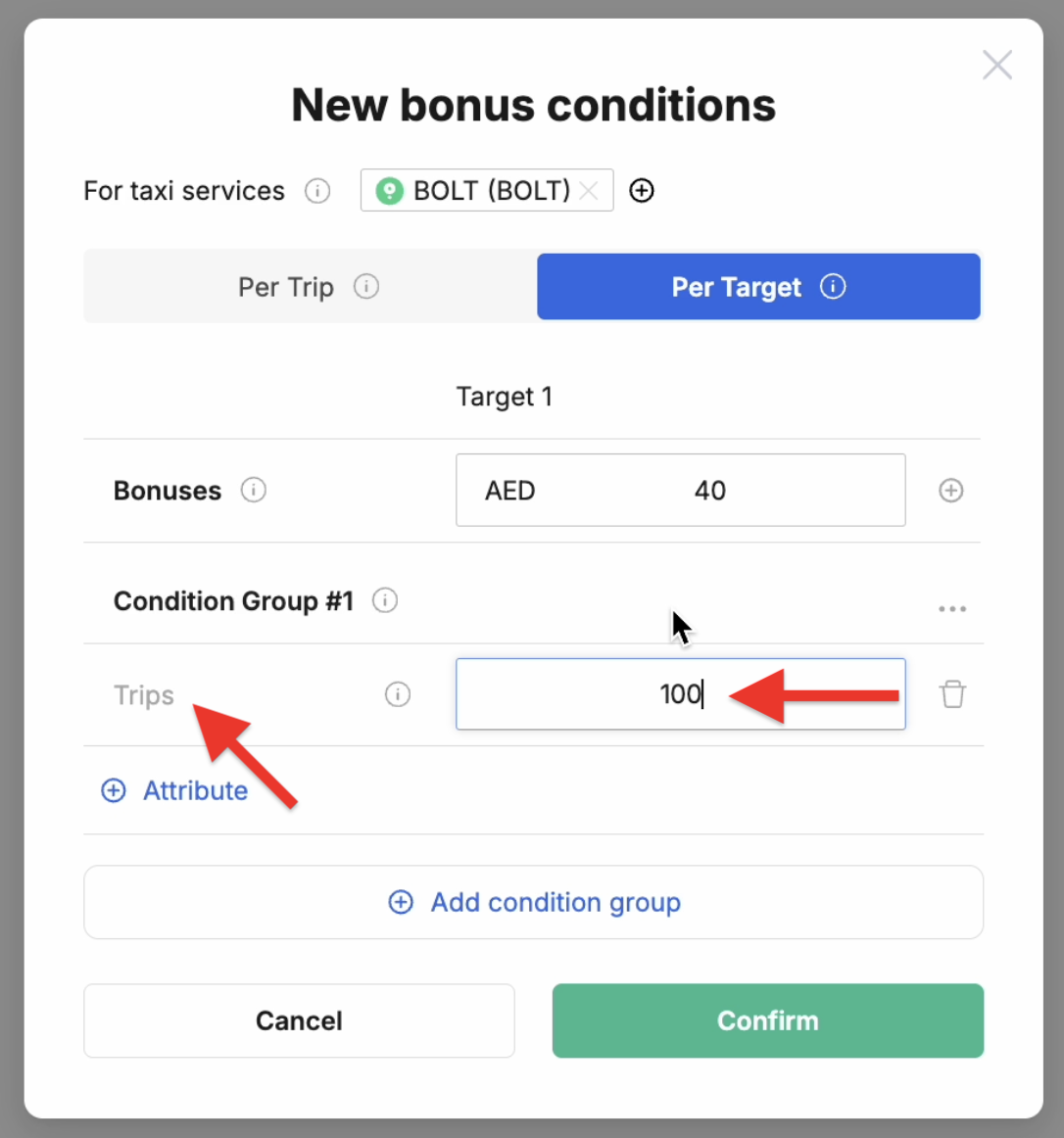
This is a fairly simple condition. We can modify it to define the requirements more precisely. Click on ⊕ Add condition group to add a new group of conditions; select the same attribute (Trips) with a value of 120 trips.
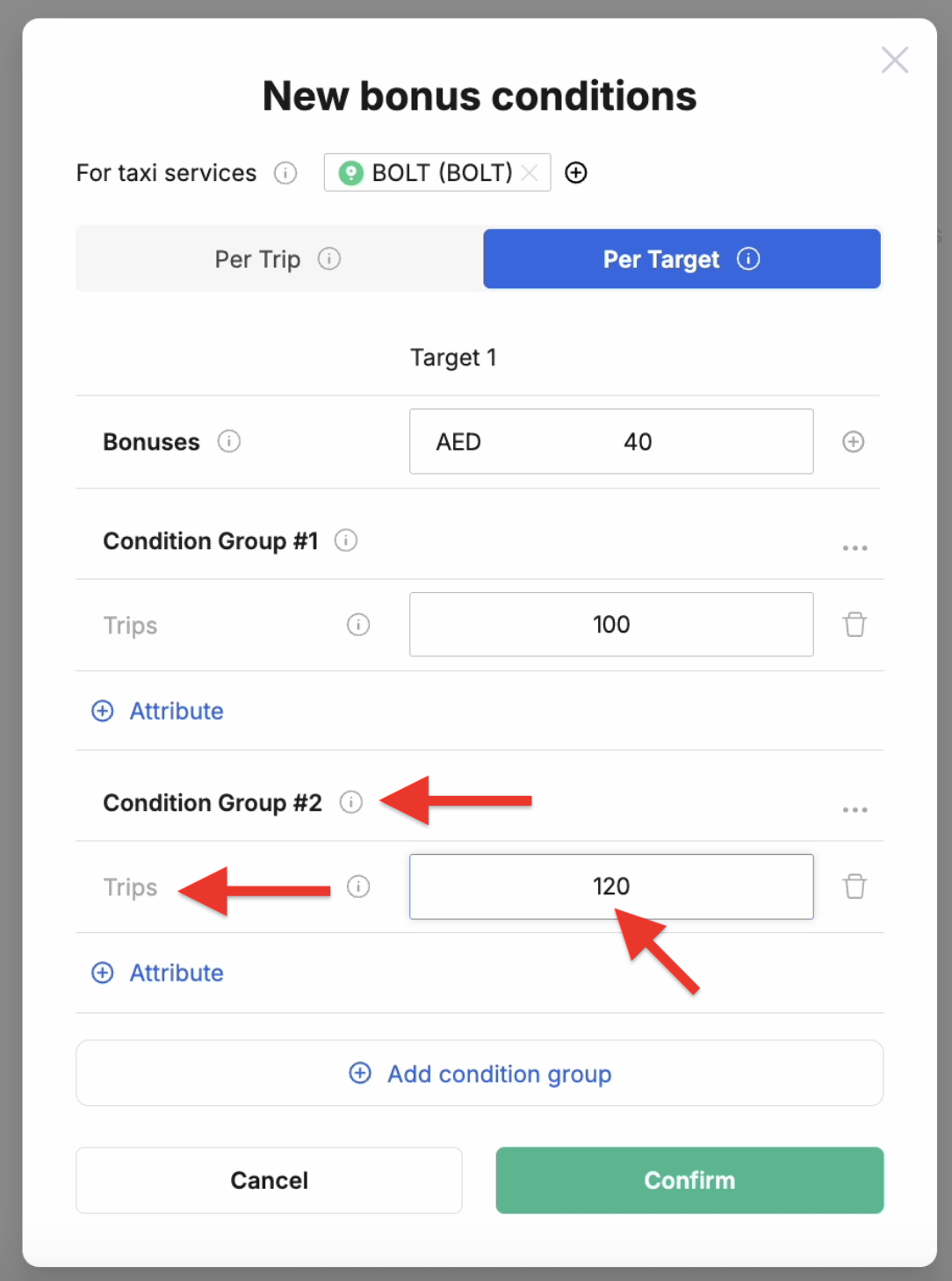
Under these settings, the driver will receive a forty-dirham bonus if he fulfills the conditions of one of the two groups of conditions (logically, in this case, he will receive the bonus as soon as he reaches 100 trips, because this condition group is achieved first; after all, 100<120).
¶ Operational logic example No.2
The previous example was illustrative for understanding the logic of the system's behavior during calculation. However, the condition definition module itself is designed to combine attributes into condition groups, which allows it to be flexibly configured to the needs of a specific vehicle fleet and the conditions of its interaction with the ride-hailing platform.
Let's modify the second group of conditions (Condition Group #2 ⓘ) with a new attribute – add Time Online with a value of 50h (fifty hours).
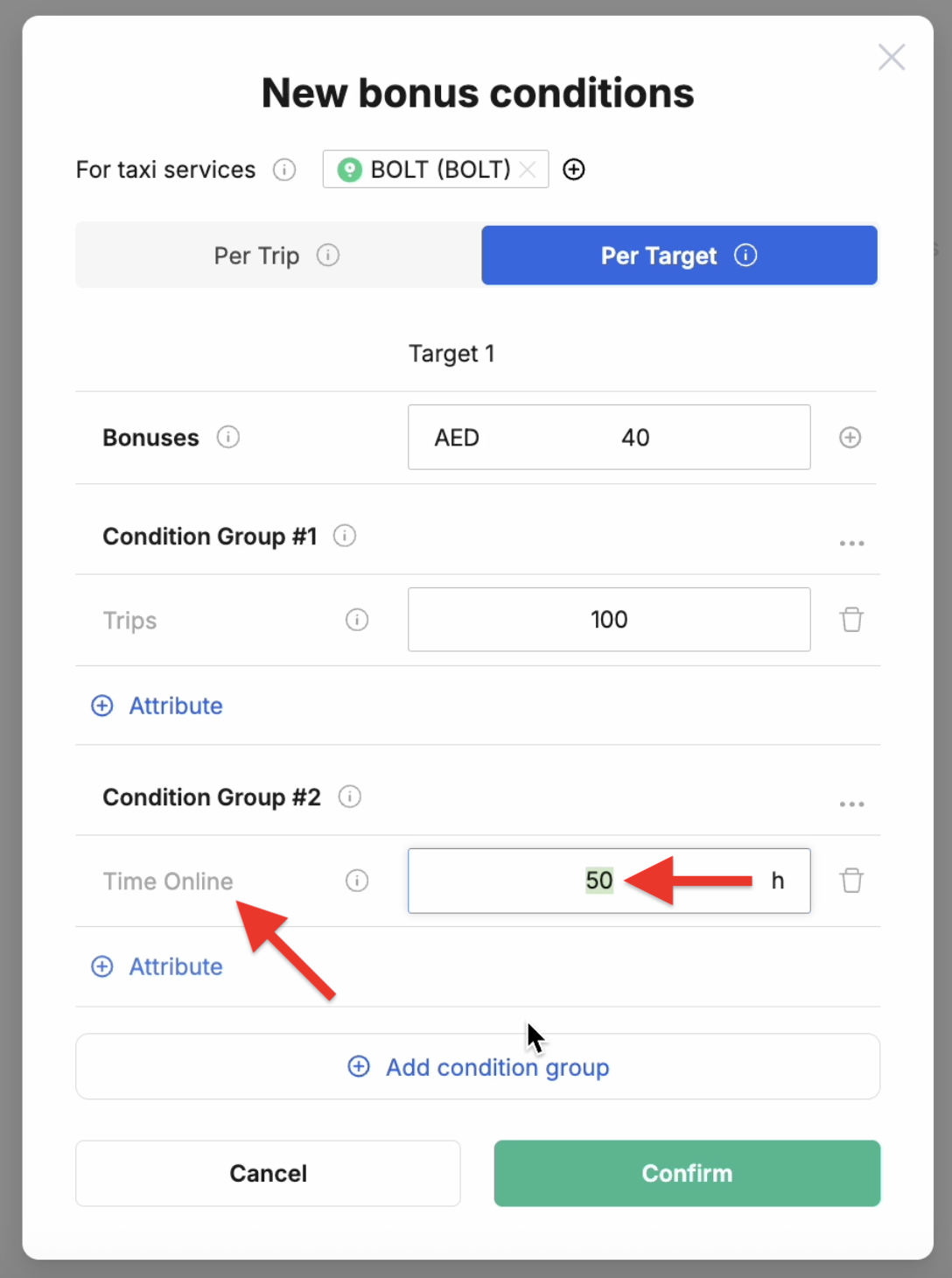
Under the new conditions, drivers will receive his 40 dirhams when:
- either he successfully completes 100 trips during the tracked week,
- or he spends more than 50 hours online that same week.
¶ Operational logic example No.3
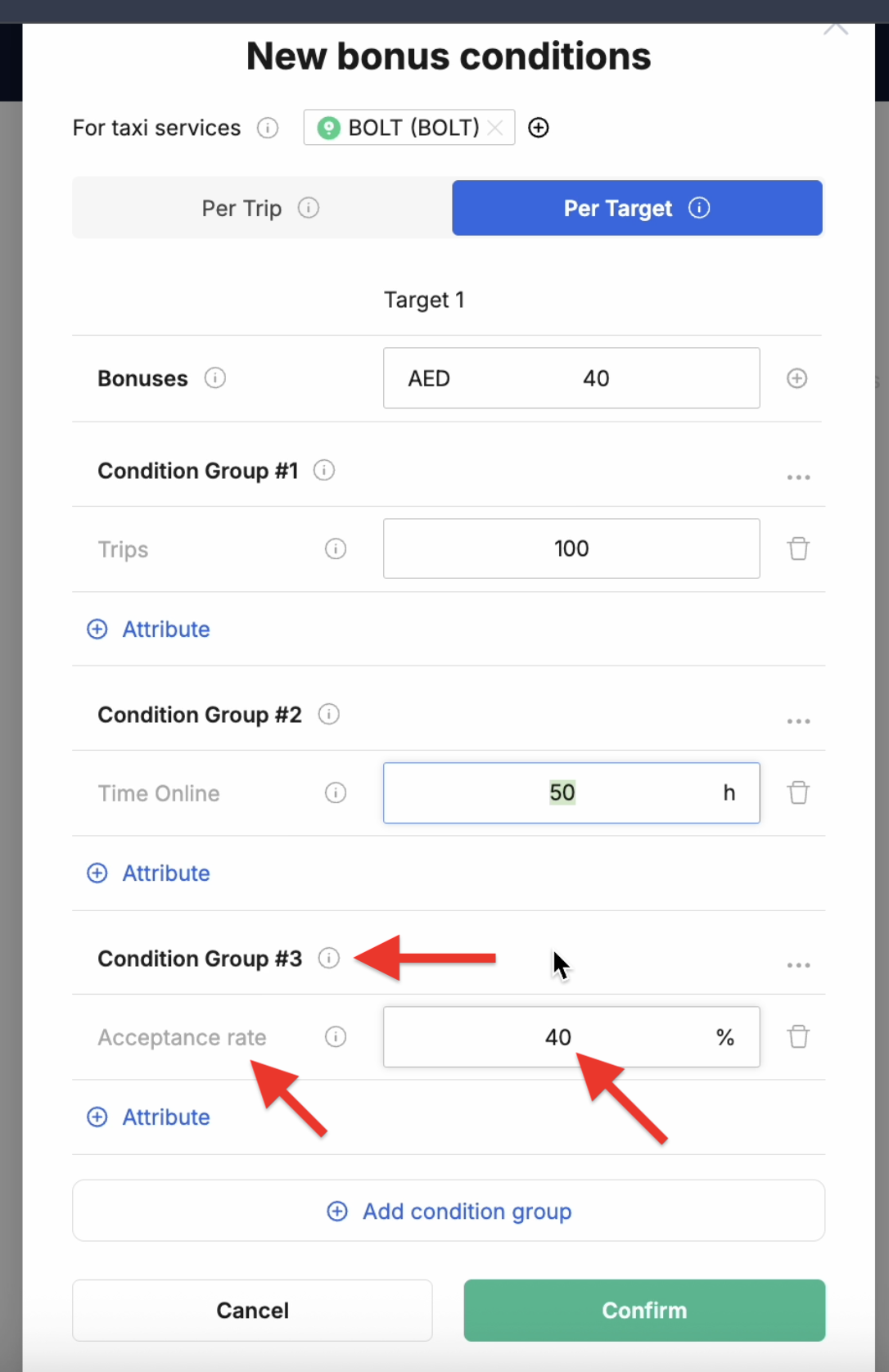
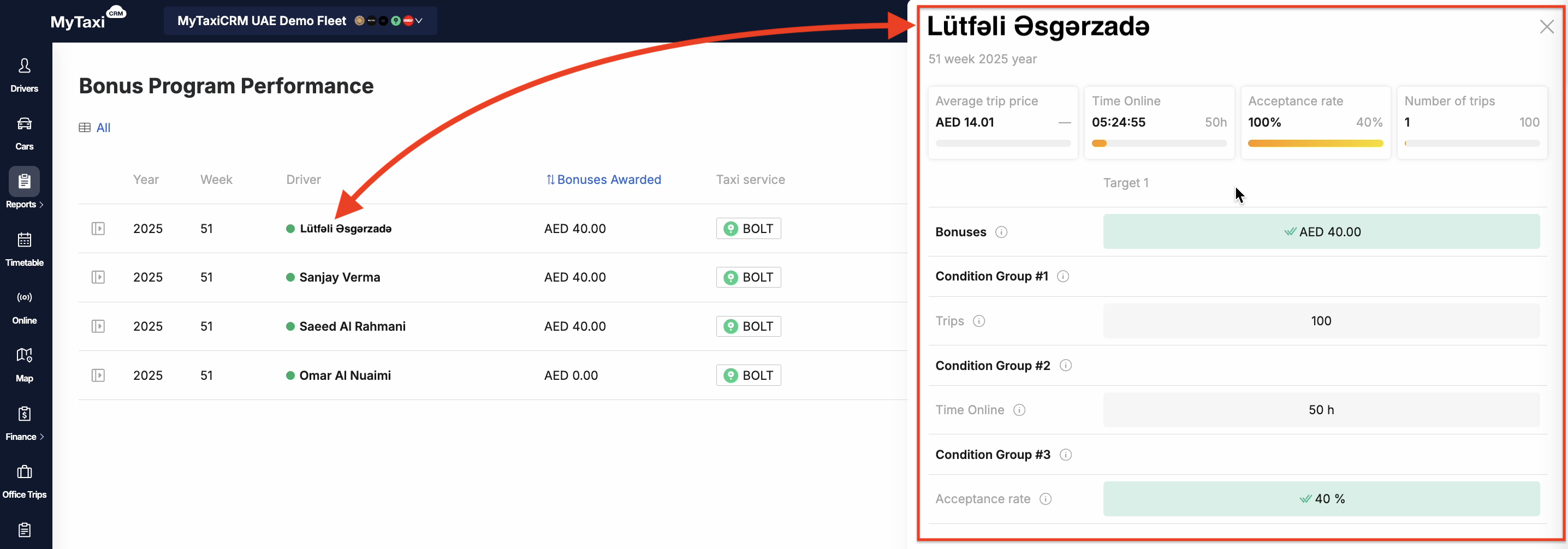
Let's add another condition group (Condition Group #3 ⓘ), select the percentage of completed orders (Acceptance rate), and set its value to 40%. Under the renewed conditions, the driver will receive his 40 dirhams when:
- either he successfully completes 100 trips during the tracked week,
- or he spends at least 50 hours online per same week,
- or he successfully completes at least 40 out of every 100 trips requests he receives.
¶ Operational logic example No.4
⚠️ Clearly, each group of conditions can have more than one attribute. The attributes within each group of conditions function according to the logical «&» operator – for a group of conditions to be applied in the calculation, each of its attributes must be met.
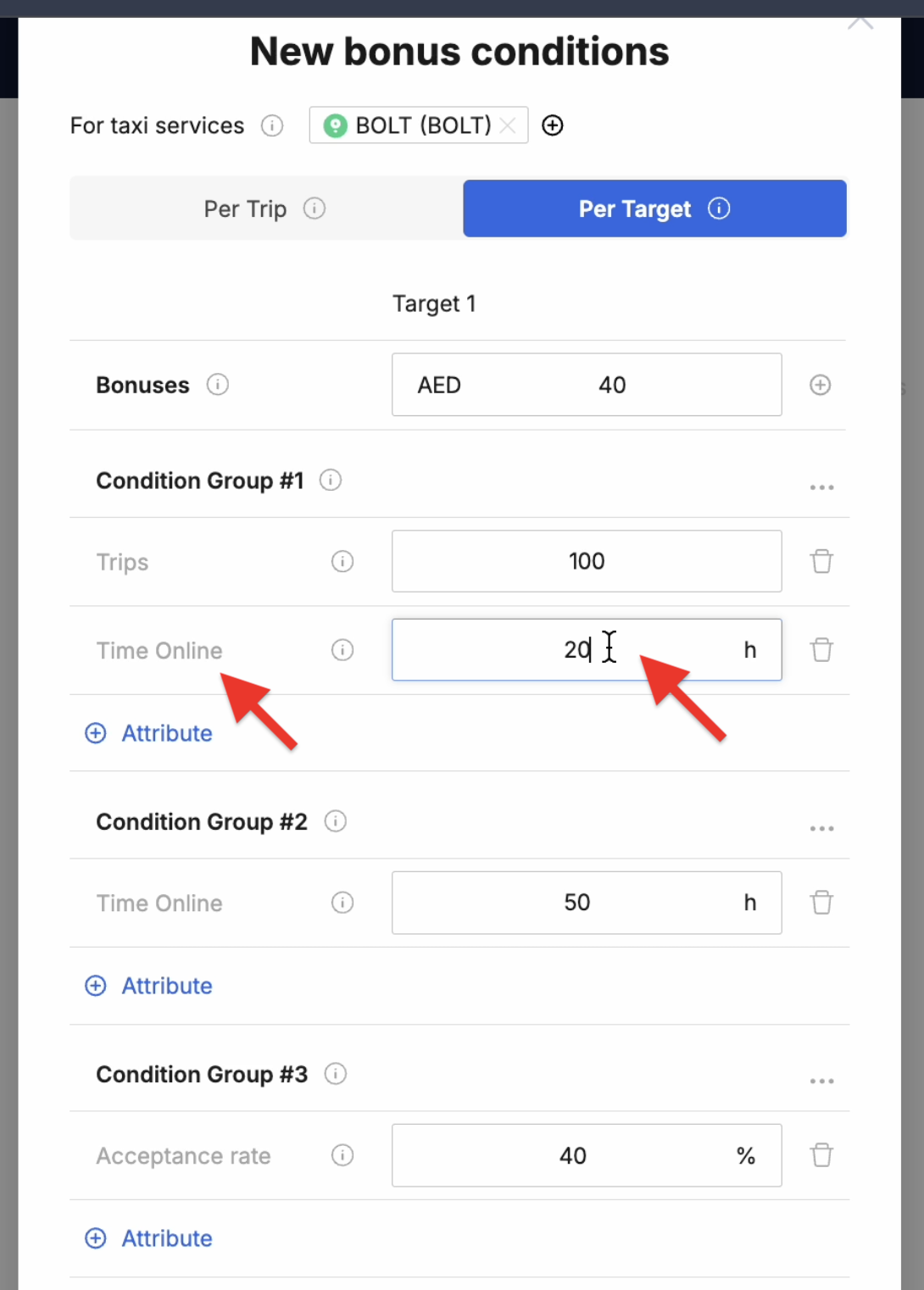
Let's add a new attribute (Time Online = 20h) to the existing Condition Group #1 ⓘ. Under these conditions, the driver will receive his 40 dirhams when:
- either he successfully completes 100 trips during the tracking week, while being online for at least 20 hours (both attributes must be satisfied at the same time),
- or is online for at least 50 hours per week, regardless of the number of trips completed,
- or he successfully completes at least 40 out of every 100 trips requests he receives.
¶ Multiple targets for condition groups and their attributes
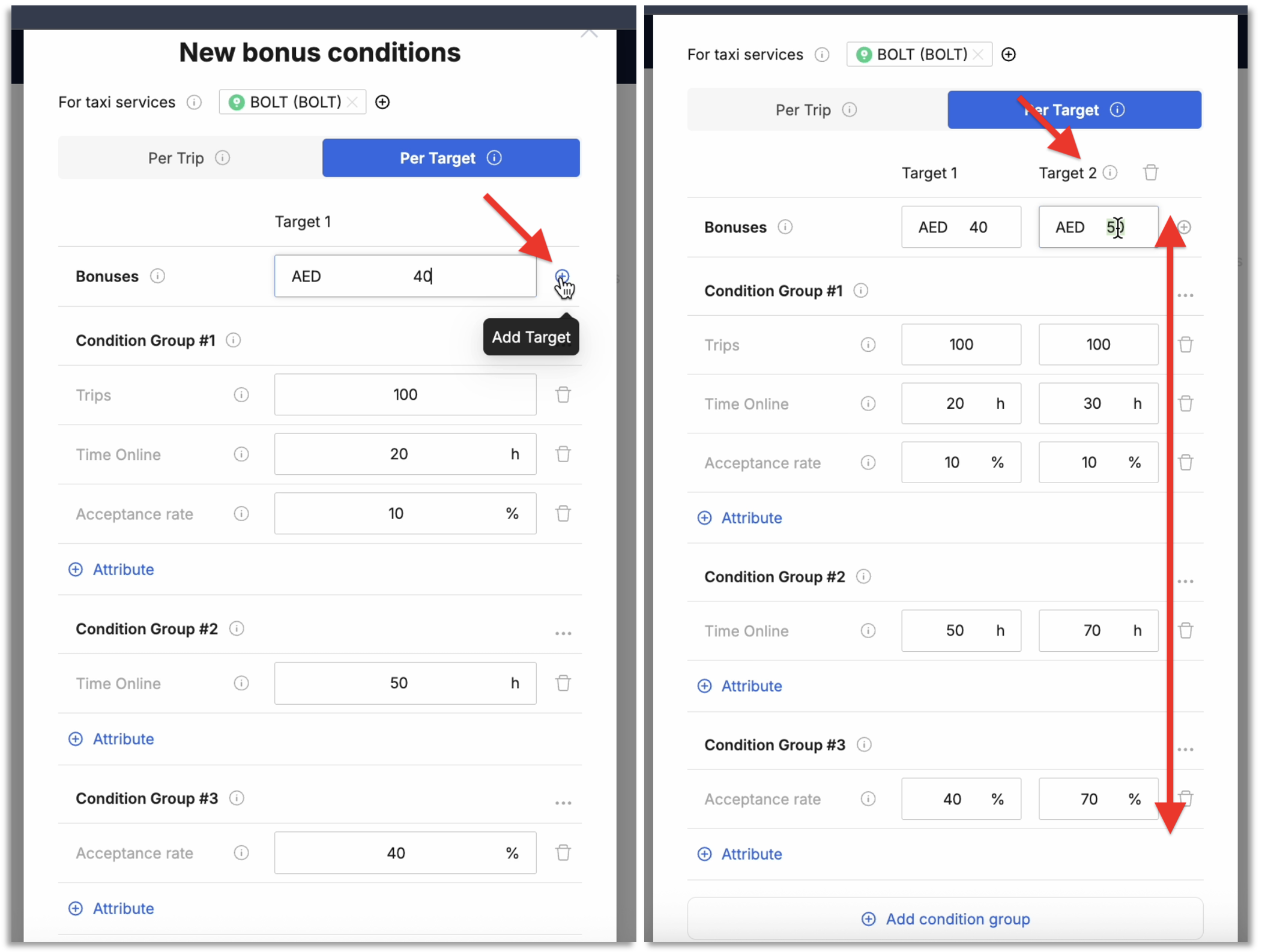
The current bonus rule configuration includes only one bonus rate for the attributes set in the condition groups. However, this module also supports adding sets of values for condition attributes and associated bonus amounts to existing groups (in other words, you can configure bonus gradation depending on the level of the tier achieved in the attribute for each of the condition groups):
- Bonuses ⓘ → Target 1 → the ⊕ button → Target 2 ⓘ
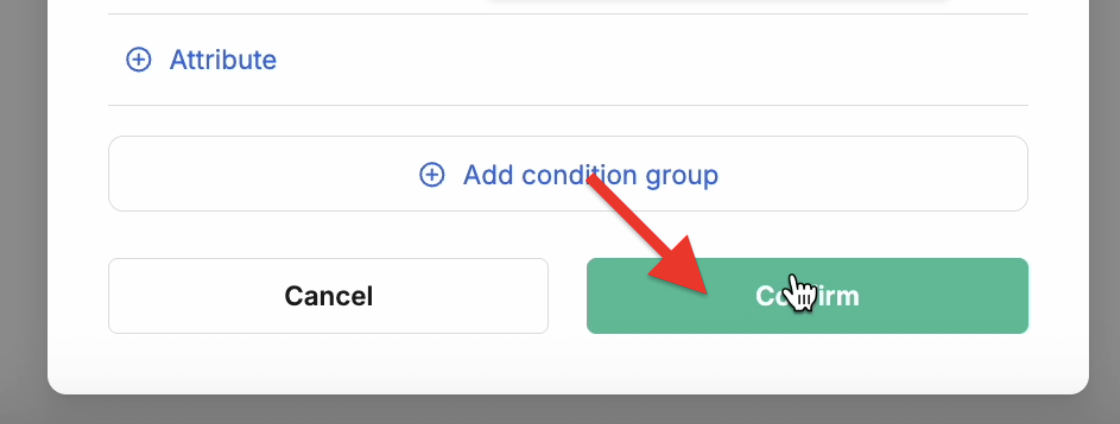
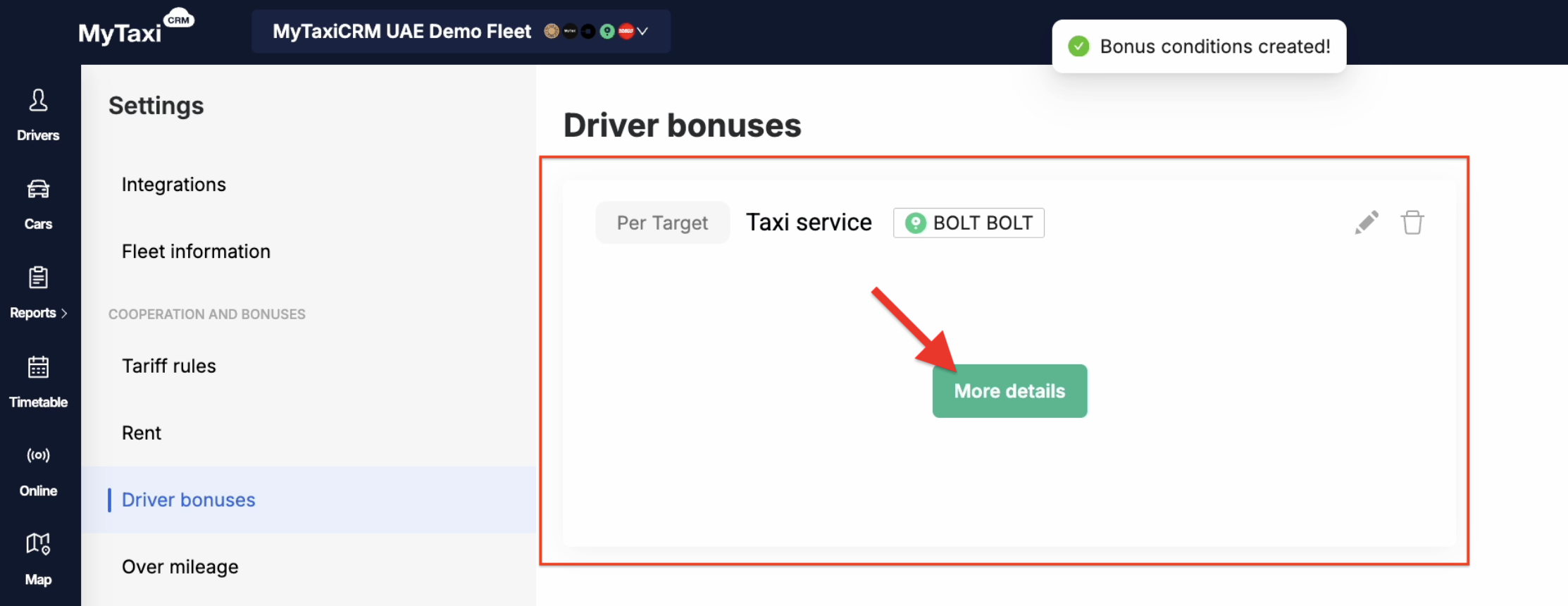
👉 After saving your bonus rules (Confirm buton) on the corresponding section page of the MyTaxiCRM system (⚙️ Options → Driver Bonuses), its card will appear.
👉 You can check out the card you saved or modify its parameters – please use the More details button to do so.
¶ How do the customized bonus rules work?
¶ Progress in meeting current week's targets
The MyTaxiCRM system has a special report to track the progress of the defined bonus rules:
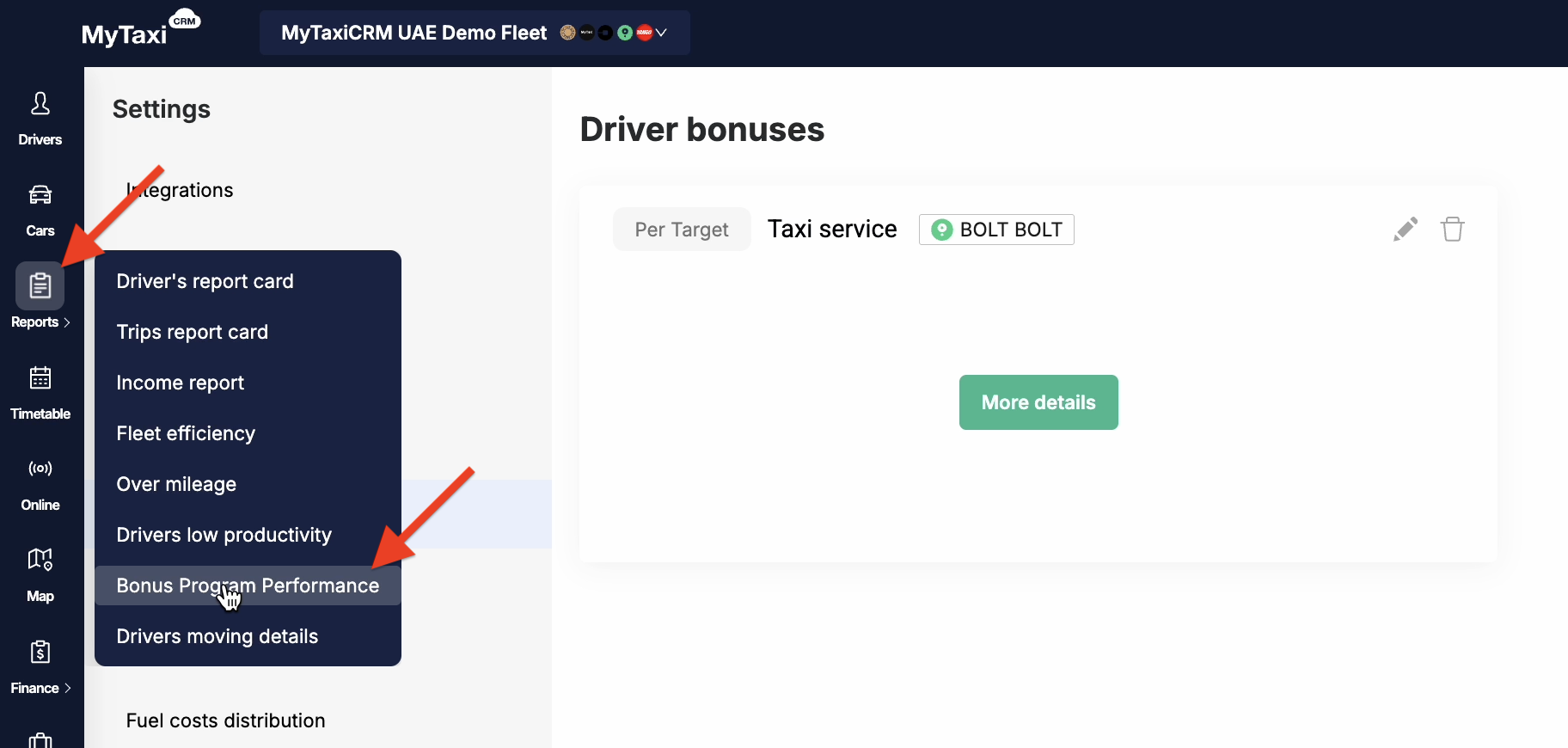
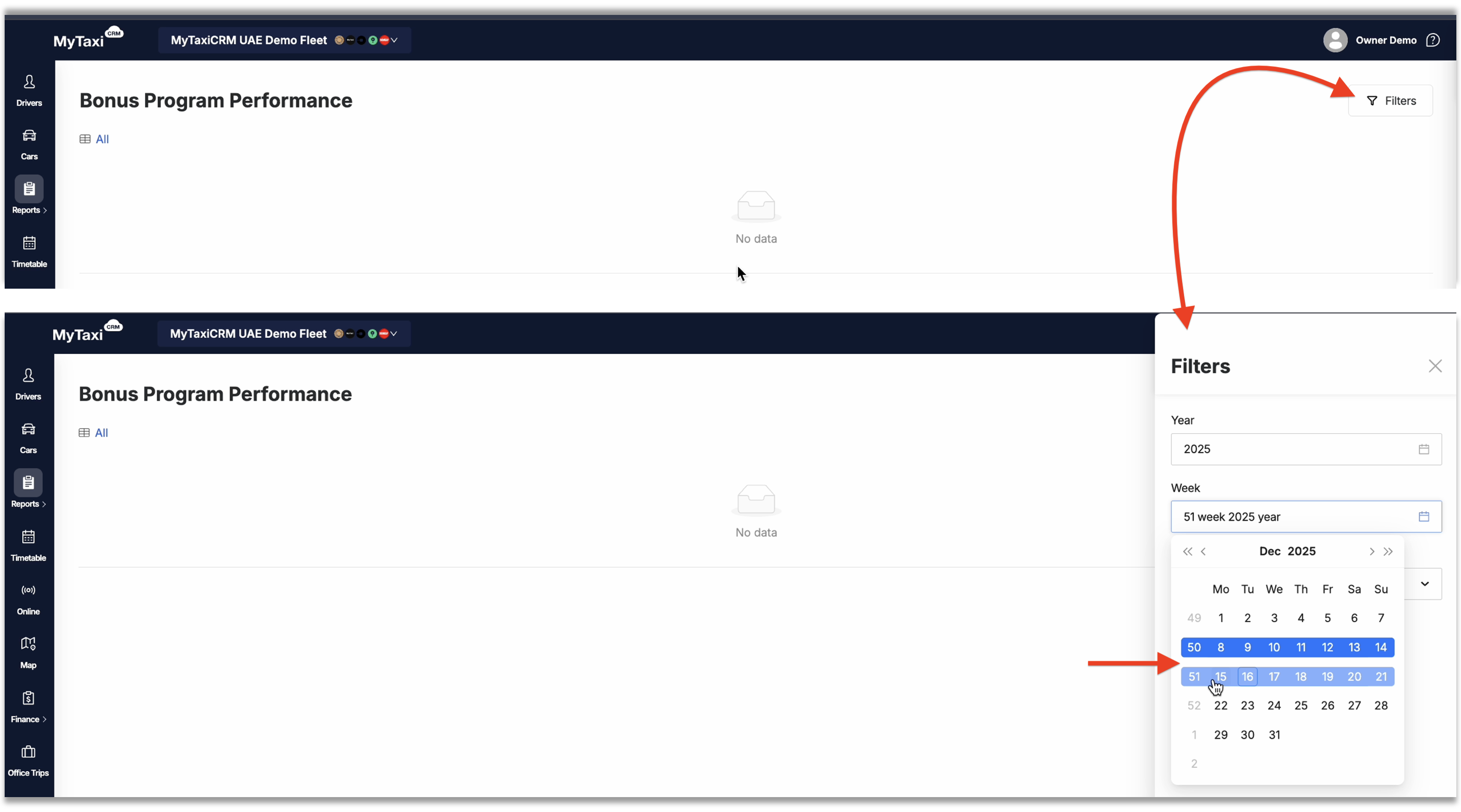
- Left navigation bar at the fleet level → Reports → Bonus Program Performance → select the desired week in the filter at the top right (Filters button).
The system will display a list of drivers for whom conditions have been set and details of their fulfillment in the corresponding columns:
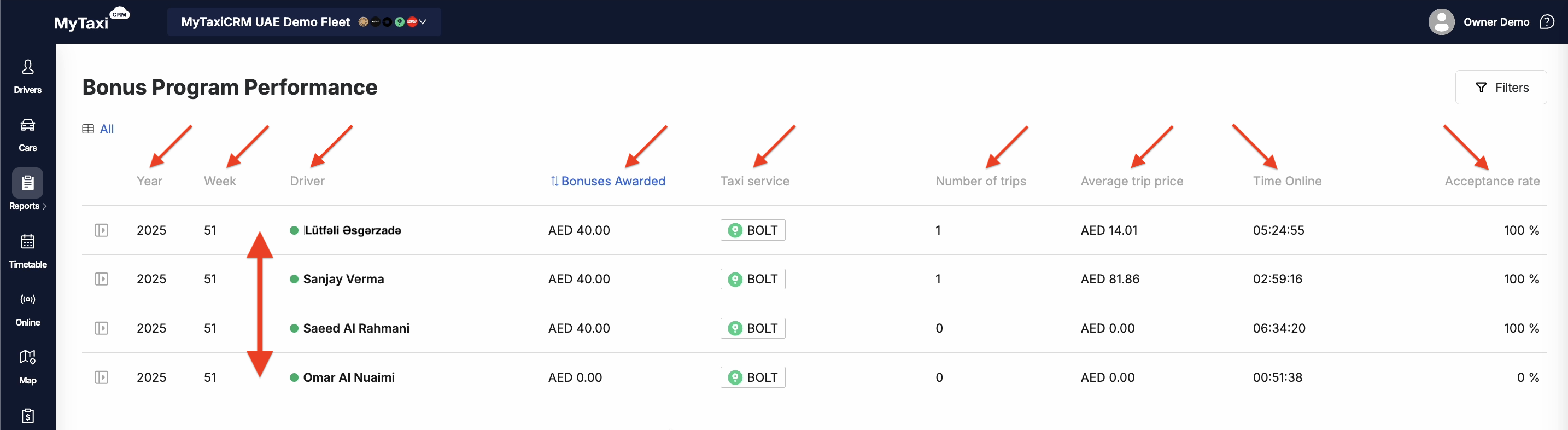
- Year – the year in which the bonus rules apply;
- Week – the number of the week in which the bonus rules apply;
- Driver – the full name of the driver to whom the rules apply;
- Bonuses Awarded – the amount of the bonus that the driver receives at the end of the week in the currency of the vehicle fleet company;
- Taxi service – the ride-hailing platform or service alike that the bonus rules apply for;
- Number of trips – the number of successful trips made by a specific driver (ride-hailing platform orders);
- Average trip price – the average price of trips made by the chosen driver;
- Time Online – the time the driver spent waiting for orders or executing them (in other words, being «on duty», i.e., online in the ride-hailing platform’s driver’s app);
- Acceptance rate – the percentage of orders that a driver accepted and completed out of the total number of ride requests he/she received (a metric for evaluating supply performance, popular among ride-hailing platforms).
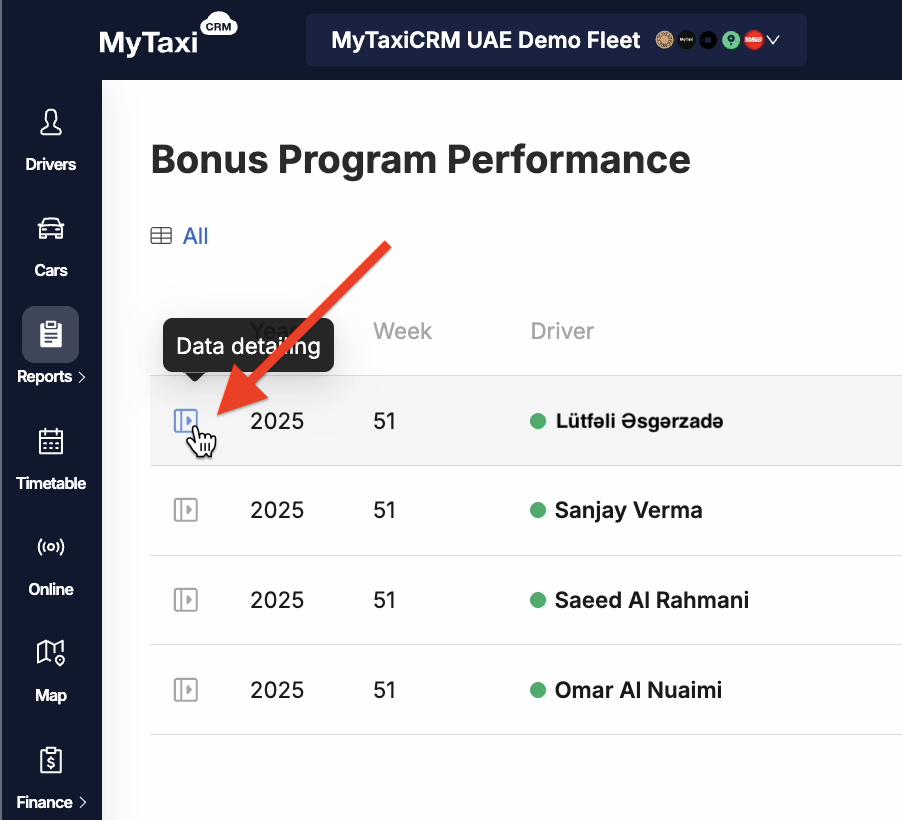
To the left, opposite each driver, there is a breakdown button. Here you can view the detailed metrics for a specific driver and find out which attributes of the rule group the driver received a bonus for.
¶ Results of the rules' fulfillment in previous periods
You can also view the results of previously defined bonuses for past weeks. To do this, simply select a different time period in the filter (Filters button).
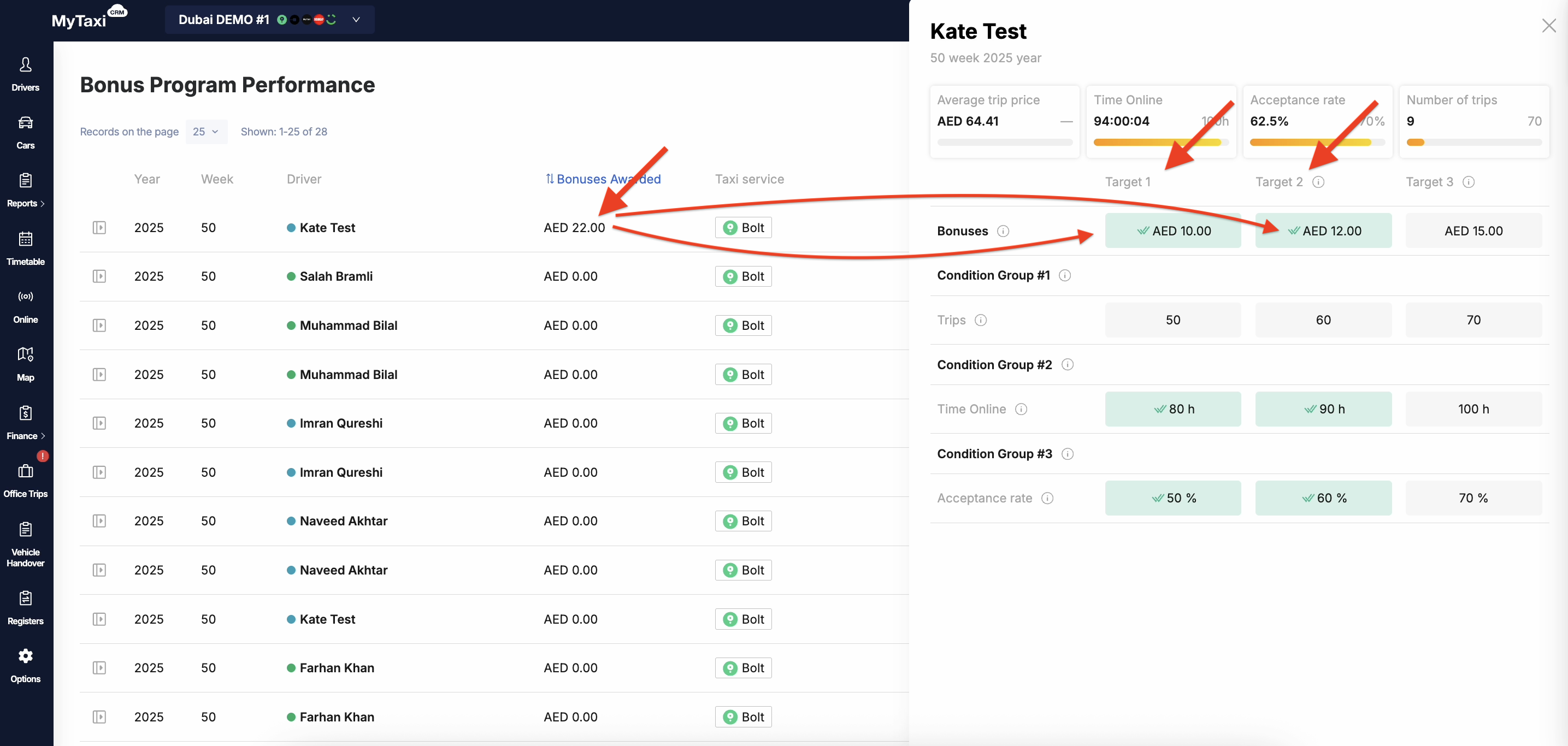
Let's consider this very scenario on the example of driver Kate Test:
Important notes regarding the completed periods:
- The ⮃ Bonuses Awarded column displays the total sum of bonuses received for each group of conditions fulfilled (all attributes of each such group).
- In the example above, these are Target 1 & Target 2 ⓘ, which are used in Condition Group #2 ⓘ + Condition Group #3 ⓘ (
10.00 AED+12.00 AED)
- In the example above, these are Target 1 & Target 2 ⓘ, which are used in Condition Group #2 ⓘ + Condition Group #3 ⓘ (
👉 If you change the condition groups themselves (add or delete), or change the sets of attributes or their target values, this will not affect the bonus calculation for drivers retroactively for weeks that have already passed. Changes to the bonus rules settings only affect the results of the current and future weeks when they were made
¶ Impact on the driver's account balance
Click on the name of the person you are interested in from the list to see how the bonuses affected the account balance of driver Kate Test in the chosen week.
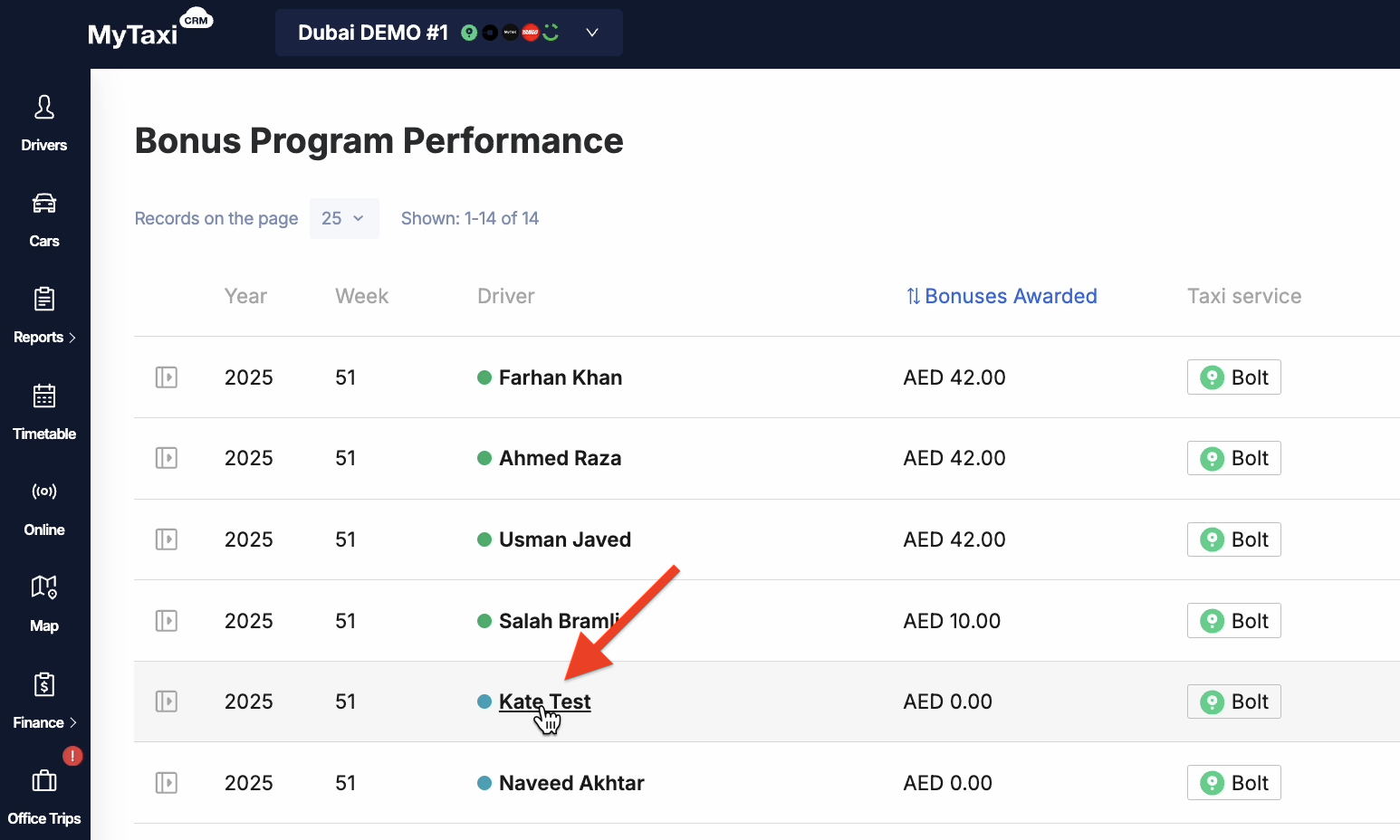
In the Revise tab, under Driver profit ⓘ, we will find 22.00 AED (Bonus - AED 22), which were credited to the driver's balance for fulfilling the conditions of the selected week.
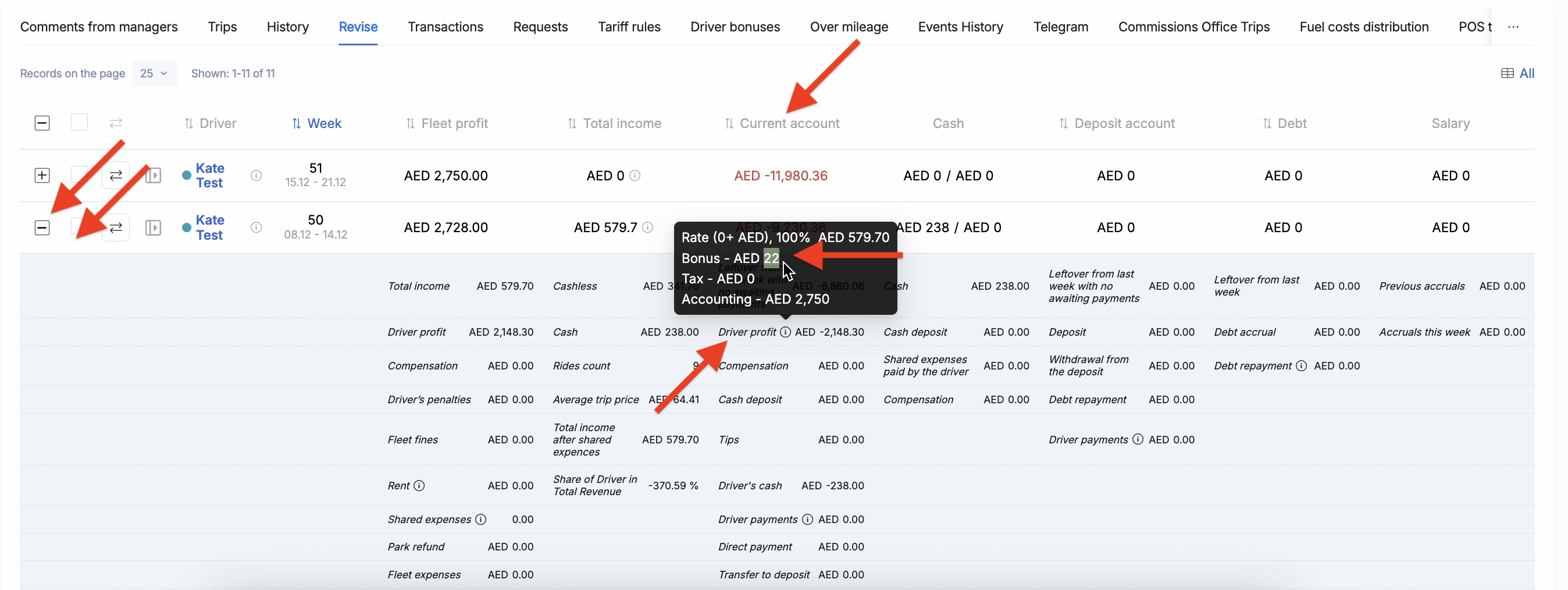
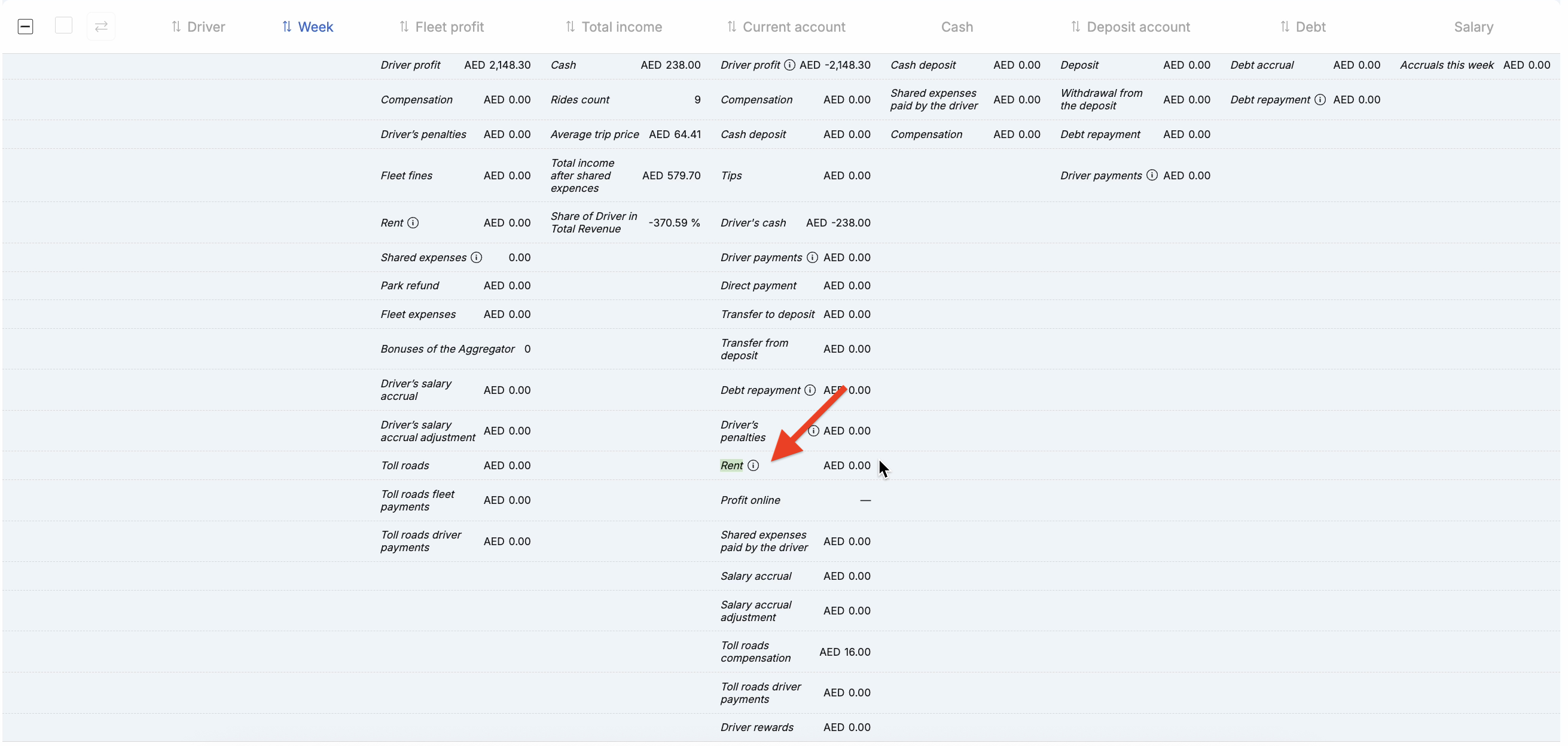
👉 How the system behaves: the driver's current account balance (i.e., the value in the ⮃ Current account column) decreases by the amount of the bonus received, because it reduces the corresponding Rent ⓘ expense item for the driver.
¶ Impact on general reconciliation
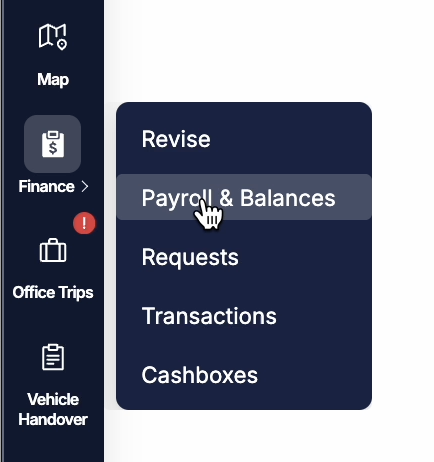
To check: left navigation menu at the fleet level → Finance → Payroll & Balances → find the person you need using the filter (Filters button at the top right) → Current account balance tab → Bonuses block.
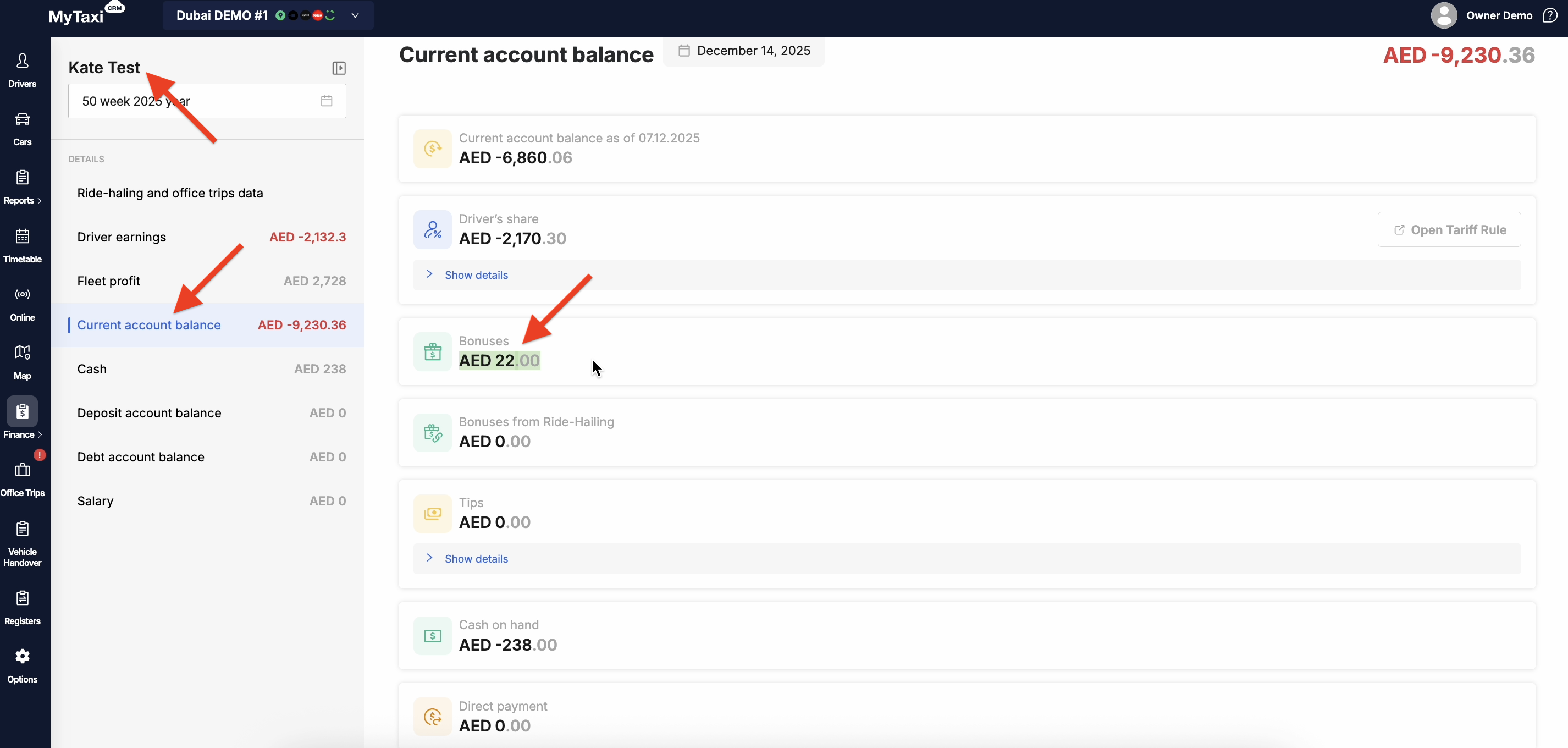
Here we can see the same AED 22.00: